Bambu Lab
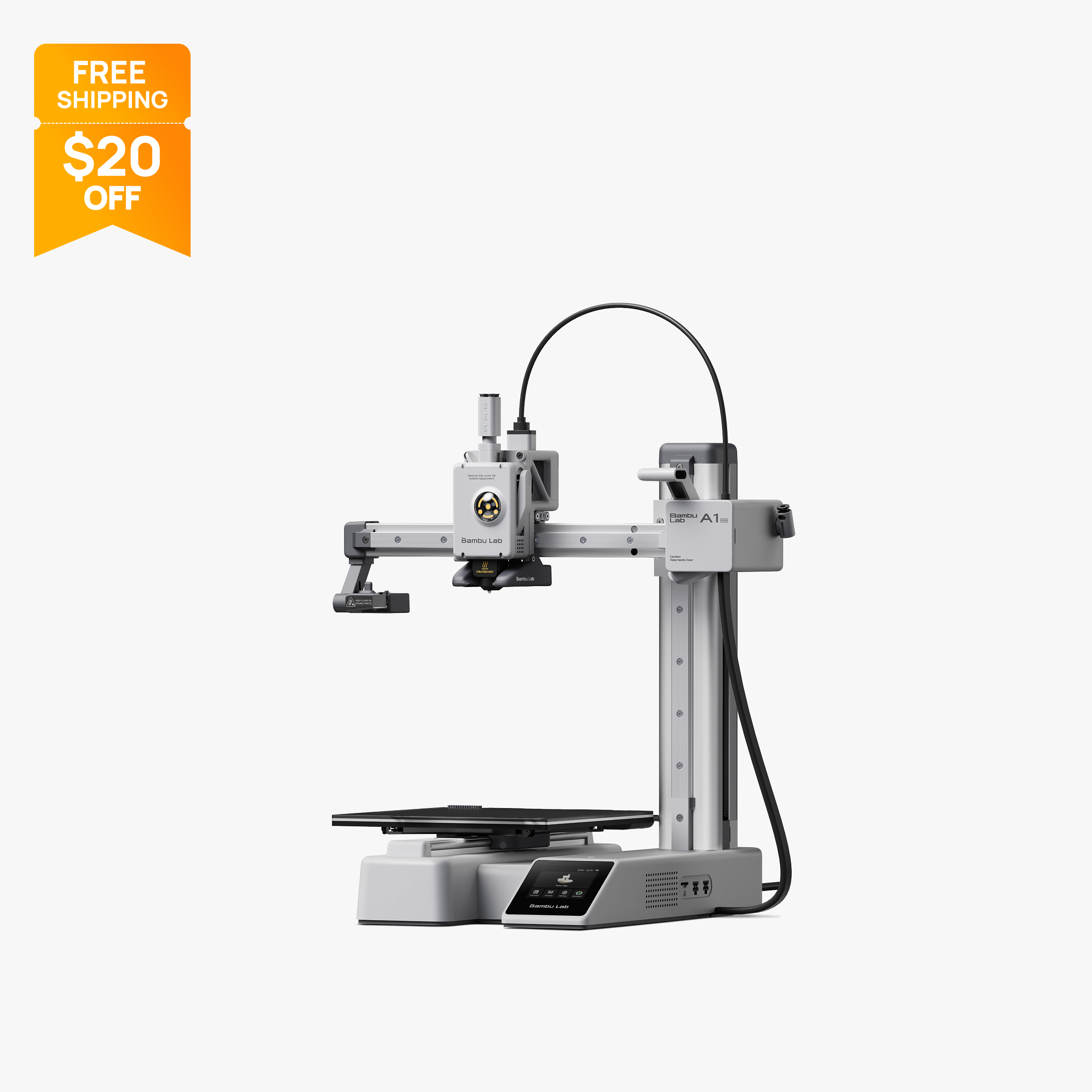
Bambu Lab A1 Mini
Compact 180 mm open-frame printer with 500 mm/s motion, 300 °C hot end and optional AMS Lite.
$199Price checked October 28, 2026
Best for First 3D printer on a tight budgetBest for Classrooms and small desksBest for Small PLA parts, toys and figuresBest for Second printer for quick jobs
Overview
The Bambu Lab A1 mini is a compact open-frame printer with a 180 x 180 x 180 mm build volume, 500 mm/s top speed and an 80 °C bed. It is aimed at PLA, PETG and TPU and can add the AMS Lite for multi-color prints.
What it is
The Bambu Lab A1 mini is the smallest and least expensive printer in Bambu's current US lineup. It is an open-frame design with a 180 x 180 x 180 mm build volume, sold on its own or as the A1 mini Combo with the AMS Lite filament changer. Bambu's own store guidance calls it the easiest starting point for beginners and education, and says most everyday prints such as phone cases, desk organizers and small figures fit within its 180 mm volume.
Key specs that matter
- Build volume: 180 x 180 x 180 mm.
- Motion: up to 500 mm/s toolhead speed and 10,000 mm/s² acceleration, the same figures Bambu lists for the full-size A1.
- Hot end: all-metal, up to 300 °C, 0.4 mm stainless steel nozzle included, with 0.2, 0.6 and 0.8 mm optional.
- Bed: up to 80 °C, compatible with Bambu textured, smooth and dual-texture PEI plates.
- Flow: Bambu lists a maximum hot end flow of 28 mm³/s with ABS at 280 °C.
- Sensors: filament run-out, tangle detection, filament odometry, power loss recovery and a low-rate camera up to 1080p with timelapse.
- Electronics: 2.4-inch 320 x 240 touchscreen, Wi-Fi, Bambu-Bus and microSD storage.
- Size and power: 347 x 315 x 365 mm, 5.5 kg, 150 W maximum power draw.
Who it suits
The A1 mini fits first-time buyers, students, classrooms and anyone with limited desk space. Its 5.5 kg weight and 150 W maximum power draw make it easy to move and power. It also works well as a second printer for small, quick PLA jobs while a larger machine handles big prints. Buyers who want color can choose the A1 mini Combo or add an AMS Lite later.
What to know before buying
The 180 mm cube is the main limit. Helmets, large enclosures and long parts will need to be split into sections, which the full-size A1 at 256 mm avoids for a higher price. The bed tops out at 80 °C, lower than the A1's 100 °C, and Bambu lists ABS, ASA, PC, PA, PET and fiber-filled filaments as not recommended. In practice this is a PLA, PETG, TPU and PVA machine.
The supplied nozzle is stainless steel, so abrasive filaments such as carbon fiber blends require a hardened steel nozzle. The open frame offers no protection from drafts or curious hands, which matters in classrooms. Multi-color printing through the AMS Lite purges filament at each color change, adding time and waste.
On the software side, Bambu Studio is the primary slicer, and Bambu says third-party slicers that export standard G-code, such as PrusaSlicer and Cura, also work, though some advanced features may not be supported.
Specifications
| Type | FDM |
|---|---|
| Price | $199 |
| Build volume | 180×180×180 mm |
| Max speed | 500 mm/s |
| Multicolor | Yes (AMS Lite (optional, up to 4 colors)) |
| Enclosed | No |
| Auto bed leveling | Yes |
| Connectivity | Wi-Fi, Bambu-Bus, microSD |
| Noise | Not listed |
| Release year | 2023 |
Pros and cons
Pros
- At $199 on sale it is the lowest-priced printer in Bambu's US lineup on 2026-10-28.
- Bambu lists the same 500 mm/s top speed and 10,000 mm/s² acceleration as the full-size A1.
- The compact 347 x 315 x 365 mm frame and 5.5 kg weight fit small desks and classrooms.
- A 150 W maximum power draw is low compared with larger heated-bed printers.
- It supports the AMS Lite for up to 4-color printing, either bundled in the Combo or added later.
- Filament run-out, tangle and odometry sensors plus power loss recovery come standard on the printer.
Cons
- The 180 x 180 x 180 mm build volume forces larger models to be split into multiple parts.
- The bed reaches only 80 °C, which limits material choice compared with the 100 °C full-size A1.
- Bambu lists ABS, ASA, PC, PA and fiber-filled filaments as not recommended on this open-frame printer.
- The 2.4-inch touchscreen is small, so most control happens through the app or Bambu Studio.
- The stock stainless steel nozzle must be replaced with hardened steel for abrasive filaments.
- With no enclosure, prints and moving parts are exposed to drafts and touch in shared spaces.
Frequently asked questions
How big can prints be on the A1 mini?
The official build volume is 180 x 180 x 180 mm. Larger models need to be scaled down or split into parts, or printed on the 256 mm A1 instead.
Can the A1 mini print ABS?
Bambu lists ABS, ASA, PC and PA as not recommended. The open frame and 80 °C bed limit make warping likely, so it is best treated as a PLA, PETG and TPU printer.
Can I add multi-color printing later?
Yes. The A1 mini works with the AMS Lite, which handles up to 4 filaments. Bambu also sells the A1 mini Combo with the AMS Lite included, listed at $299 on sale on 2026-10-28.
Does the A1 mini need assembly?
Bambu's store describes the A1 mini as compact and working right out of the box, and the A1 series runs its calibration automatically before prints. Bambu publishes setup guides for the A1 series on its official wiki.
Does it work with third-party filament and slicers?
Yes. Any 1.75 mm filament in the supported list works, and Bambu says third-party slicers that export standard G-code, including PrusaSlicer and Cura, are supported with some advanced features missing.
Sources
Verdict
Buy the A1 mini if you want the lowest-cost way into Bambu's ecosystem and mostly print small PLA, PETG or TPU parts. Look at the full-size A1 if you need a bigger bed, or an enclosed P1S or P2S if you want ABS and ASA.
Comparisons
Featured in
Related printers