Bambu Lab A1 vs Bambu Lab A1 Mini
Verdict
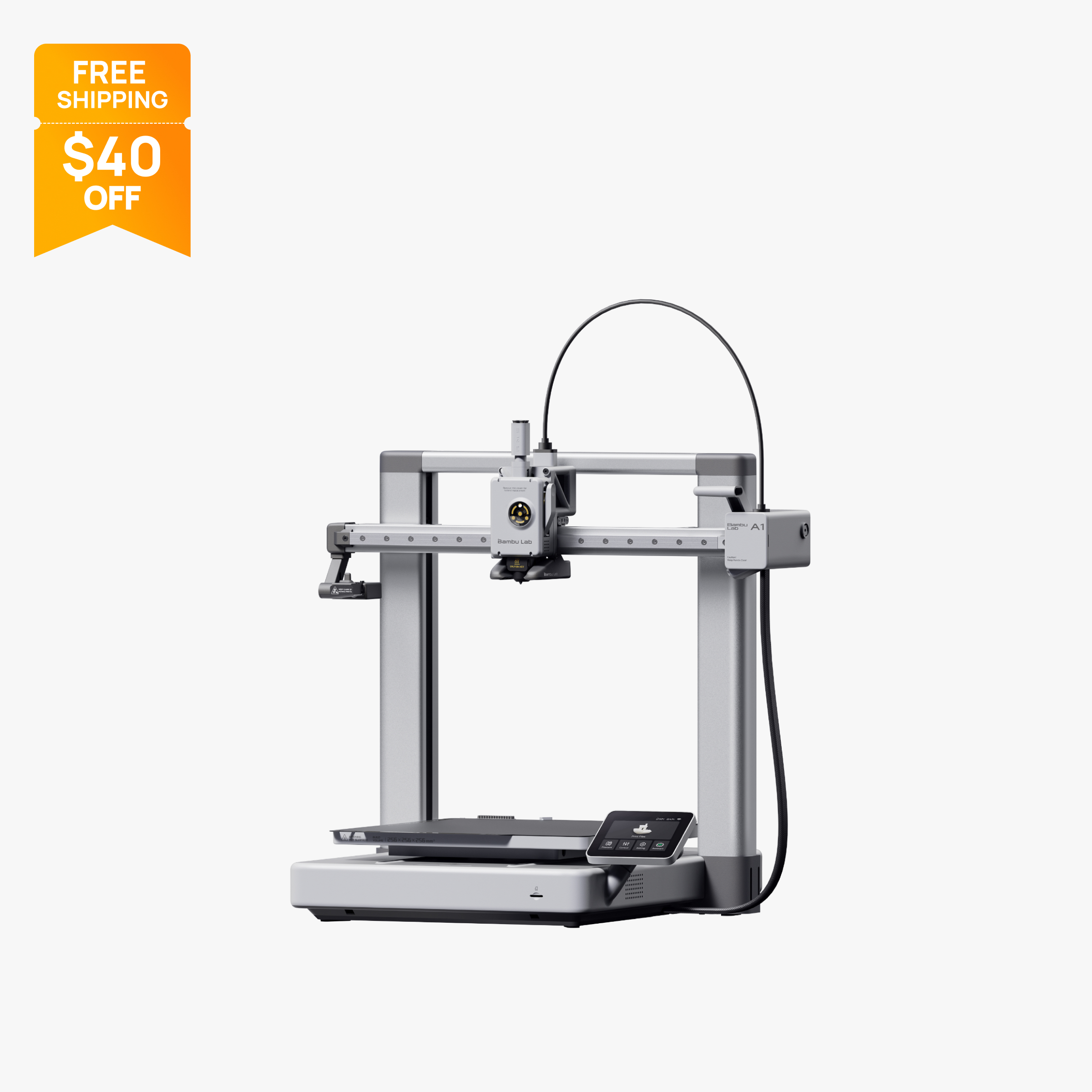
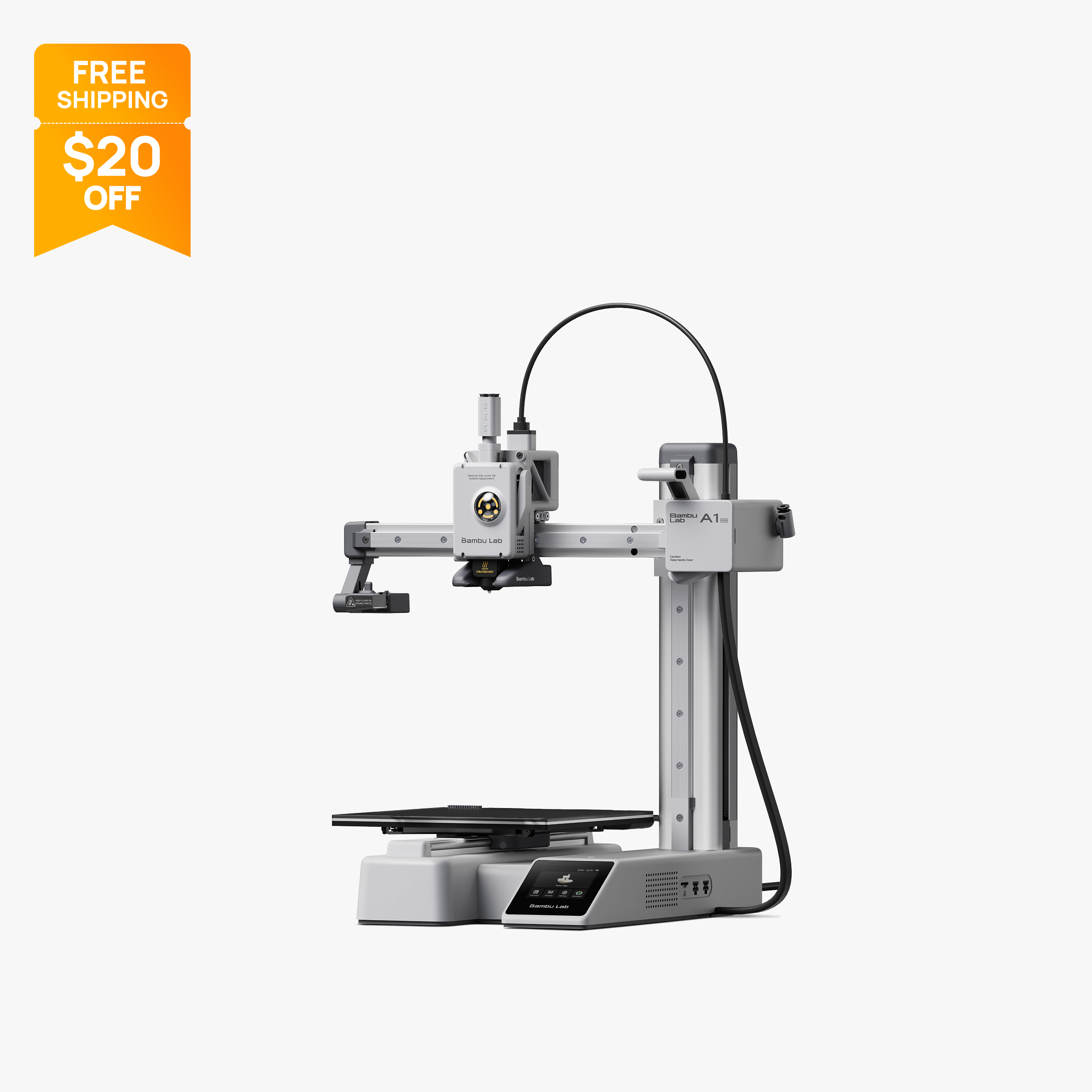
Buy the A1 if you want the 256 mm bed, a 100 °C heated bed and a larger screen, and can pay a bit more. Buy the A1 mini if you print small PLA, PETG or TPU parts, have limited desk space, or want the lowest price into Bambu's lineup. Both take the AMS Lite for 4 colors; neither suits ABS or ASA.
Specs side by side
| Spec | Bambu Lab A1 | Bambu Lab A1 Mini |
|---|---|---|
| Type | FDM | FDM |
| Price | $259 | $199 |
| Build volume | 256×256×256 mm | 180×180×180 mm |
| Max speed | 500 mm/s | 500 mm/s |
| Multicolor | Yes (AMS Lite (optional, one unit, up to 4 colors)) | Yes (AMS Lite (optional, up to 4 colors)) |
| Enclosed | No | No |
| Auto bed leveling | Yes | Yes |
| Connectivity | Wi-Fi, Bambu-Bus, microSD | Wi-Fi, Bambu-Bus, microSD |
| Noise | 49 dB | Not listed |
| Release year | 2023 | 2023 |
Quick answer
Pick the Bambu Lab A1 if you want the larger 256 x 256 x 256 mm bed, a 100 °C heated bed and a bigger 3.5-inch screen, and you are fine paying more for the extra room. Pick the A1 mini if you mostly print small PLA, PETG or TPU parts, have a small desk, and want the lowest entry price into Bambu's ecosystem. Both are open-frame bed slingers with the same 500 mm/s top speed, 300 °C hot end and optional AMS Lite for up to 4 colors, so the real choice is build size, bed temperature and price. Neither is meant for ABS or ASA.
Key differences
Build volume
This is the difference that matters most. The A1 prints a 256 x 256 x 256 mm cube, while the A1 mini prints 180 x 180 x 180 mm. Multiply those out and the A1 offers roughly 16.8 million cubic millimeters of space against about 5.8 million for the mini, close to three times the volume. In practice that means a helmet, a large organizer tray or a full-size phone stand fits on the A1 in one piece, and on the mini you would split it into parts and glue them.
If your projects are figures, small tools, brackets, cable clips and desk accessories, 180 mm is enough and you will rarely notice the limit. If you are not sure, remember that the limit is permanent: you cannot upgrade a mini to a bigger bed later. For a sense of how the A1's bed compares with an enclosed model, see our A1 vs P1S comparison, because the P1S uses the same 256 mm cube.
Bed temperature and materials
Both printers have a 300 °C hot end, but the heated beds differ: 100 °C on the A1 and 80 °C on the A1 mini. Bambu's official specs list the A1 mini's maximum bed temperature at 80 °C, lower than the full-size model.
For PLA, PETG and TPU, which is what Bambu positions these printers for, the 80 °C ceiling on the mini covers the usual bed settings, so the gap is small in everyday use. The A1's higher limit gives you more headroom for filaments that want a hotter plate, and for larger parts, where warping risk grows with size.
Neither printer is enclosed. Bambu's tech specs list ABS, ASA, PC, PA, PET and carbon or glass fiber reinforced filaments as not recommended on both the A1 and the A1 mini. Bambu also says it does not recommend enclosing the A1. Both ship with a stainless steel nozzle, so abrasive filaments such as carbon fiber need a hardened steel nozzle swap first. If ABS or ASA matter to you, look at an enclosed machine instead, covered in our best enclosed 3D printers page.
Speed and acceleration
On paper these two are identical. Bambu lists 500 mm/s top speed and 10,000 mm/s² acceleration for both the A1 and the A1 mini, and both use a 300 °C hot end. You will not pick one over the other for speed.
What does change is how much work each print is. A bigger bed means long prints take longer simply because there is more to print, so the A1 can spend hours on a part that the mini would never be asked to make. Keep in mind that top speed and acceleration are manufacturer ratings, not a promise of finish time: real print time depends on the model, layer height, and how aggressively the slicer profile uses the motion system. If speed is the deciding factor, the printers that pull ahead use CoreXY motion, such as the P1S, which Bambu rates at 20,000 mm/s² acceleration. Our A1 vs P1S page goes into that tradeoff.
Footprint, weight and noise
The A1 mini is built for small spaces. Bambu lists its frame at 347 x 315 x 365 mm and its weight at 5.5 kg, with a maximum power draw of 150 W. The A1's frame is listed at 465 x 410 x 430 mm. Because both are bed slingers, the bed travels front to back, so you need clearance beyond the frame dimensions on either one.
On noise, Bambu's US store lists A1 operation as low as 49 dB, with active motor noise canceling. That is the lowest figure on the listing, not a typical or maximum level, so real noise will vary with speed and print mode. This page has no verified noise figure for the A1 mini, so check Bambu's spec page for the mini before assuming it matches. In general, any bed slinger at speed is audible, and neither should be treated as silent.
For a classroom, dorm or shared apartment, the mini's smaller footprint is the bigger practical advantage. For a dedicated workbench, the A1's size is rarely an issue.
Multicolor with AMS Lite
Both printers support Bambu's AMS Lite for up to 4-color printing, either bundled in a Combo or added later. The A1 supports one AMS Lite unit, according to Bambu's FAQ, so multicolor tops out at 4 filaments per job. Connecting a full AMS, AMS 2 Pro or AMS HT to the A1 requires the separate AMS HUB accessory.
The practical difference is size, not capability. The A1's bigger bed leaves more room to lay out several multicolor objects at once, while the mini limits you to small multicolor pieces. If multicolor is your main reason to buy, compare the Combo bundles in the price section below and read our best multicolor 3D printers page, since printers with larger multicolor systems exist at higher prices.
Screen, sensors and software
The A1 has a 3.5-inch screen and the A1 mini a 2.4-inch touchscreen. The mini's screen is small, so many people will run it from the Bambu app or Bambu Studio, and Bambu's connectivity list for both is Wi-Fi, Bambu-Bus and microSD.
Both printers include filament run-out, tangle and odometry sensors plus power loss recovery. Both list a low-frame-rate camera (up to 1080p) that supports timelapse. For the A1, Bambu also lists automatic calibration of Z-offset, bed level, vibration and nozzle pressure before every print, so no manual tuning is needed. Both work with Bambu Studio and, per Bambu, with third-party slicers that export standard G-code, though some advanced features may not be supported there.
One A1-specific note: Bambu's US store FAQ refers to a January 2024 recall tied to a heatbed cable issue. It states that A1 printers sold after January 30, 2024 are not from the recalled batch and include the fixes.
Setup and day-to-day use
Both printers are positioned as ready to run with little setup. Bambu's store describes the A1 mini as working right out of the box, and the A1 series runs its calibration automatically before prints, so there is no manual bed leveling routine on either model. Bambu publishes setup guides for the A1 series on its official wiki, and our 3D printer setup guide covers the general steps for any new machine.
Day-to-day, the two feel alike because they share the same software stack. You slice in Bambu Studio or a third-party slicer that exports standard G-code, send the job over Wi-Fi or load it from a microSD card, and monitor from the app. The difference you will notice is on the printer itself: the A1's 3.5-inch screen is larger than the A1 mini's 2.4-inch touchscreen. Both accept standard 1.75 mm filament from the supported list, so you are not tied to one filament brand. For a first printer, either one removes most of the tuning that older bed slingers required.
Price and what you get
At the time of writing (October 2026), Bambu's US store lists the A1 at $259 on sale (regular $299) for the printer alone, and the A1 mini at $199 on sale (regular $219). The Combos add the AMS Lite: the A1 Combo is $359 (regular $399) and the A1 mini Combo is $299 (regular $329).
Sale prices change, so check the store before you buy. A few things to weigh:
- The gap between the two printers is small compared with the gap in build volume, which is why many buyers choose the A1 unless budget or space is tight.
- If you know you want multicolor, buying the Combo up front avoids buying the AMS Lite separately later.
- The A1 mini is the lowest-priced printer in Bambu's US lineup on the date checked.
Who should buy which
Buy the A1 if:
- You want to print larger parts in one piece.
- You want the 100 °C bed and 3.5-inch screen.
- You plan to add AMS Lite and print multicolor objects.
- You want a general-purpose first printer you will not outgrow quickly.
Buy the A1 mini if:
- You print small models, toys, figures and desk accessories.
- You have limited desk space or need a classroom-friendly size.
- You want the lowest price of entry into Bambu's lineup.
- You want a second printer for quick small jobs.
Also consider
- The enclosed Bambu Lab P1S if you want ABS and ASA, or up to 16 colors with several AMS units.
- The Creality Ender-3 V3 SE if budget is the priority; see best 3D printers under $200.
- The Flashforge AD5X if you want a 4-color system included in the box at $349 on sale; it has a smaller 220 mm bed. See best 3D printers for beginners for more.
New to printing? Our setup guide covers what to do after the box arrives, and the cheapest 3D printers guide explains what you give up at lower prices.
Frequently asked questions
What is the difference between the Bambu Lab A1 and A1 mini?
The main differences are size and bed temperature. The A1 has a 256 x 256 x 256 mm build volume and a 100 °C bed, while the A1 mini has a 180 x 180 x 180 mm volume and an 80 °C bed. Both list 500 mm/s top speed, 10,000 mm/s² acceleration and a 300 °C hot end.
Is the A1 mini faster than the A1?
No. Bambu lists the same 500 mm/s top speed and 10,000 mm/s² acceleration for both printers. Real print time depends on the model and slicer settings, and the A1's larger bed simply allows bigger prints.
Can the A1 mini print multicolor like the A1?
Yes. Both printers support Bambu's AMS Lite for up to 4 colors, either bundled in a Combo or added later. The A1 supports only one AMS Lite unit, so neither can reach the 16 colors of an enclosed P1S with multiple AMS units.
Can the A1 or A1 mini print ABS?
Bambu lists ABS, ASA, PC and PA as not recommended on both open-frame printers, and the mini also lists fiber-filled filaments as not recommended. The open frame raises the risk of warping on larger parts. For ABS or ASA, an enclosed printer such as the P1S is the better match.
Is the A1 worth the extra money over the A1 mini?
For many buyers, yes, because the A1 offers roughly three times the build volume for a modest price difference. At the time of writing (October 2026) the A1 is $259 on sale and the A1 mini is $199 on sale. If you only print small parts and need the smaller footprint, the mini is enough.
Was the Bambu Lab A1 recalled?
Bambu's US store FAQ refers to a January 2024 recall tied to a heatbed cable issue on the A1. It states that A1 printers sold after January 30, 2024 are not from the recalled batch and include the fixes. Ask about the purchase date if you are buying a used unit.
Sources
- Bambu Lab A1 tech specs (official)
- Bambu Lab A1 mini tech specs (official)
- Bambu Lab A1 on the official US store (price, FAQ, recall note)
- Bambu Lab A1 mini on the official US store (price)
- Bambu Lab A1 FAQ (official wiki)
- Bambu Lab AMS lite on the official US store (price, compatibility)
- Bambu Lab US store 3D printer collection (lineup and prices)