Best 3D Printers for Home Use (2026)
The Bambu Lab P1S is the best 3D printer for home use for most households: an enclosure with a carbon filter, app and Wi-Fi control and a 256 mm build volume for $349 at the time of writing.
Updated October 28, 2026
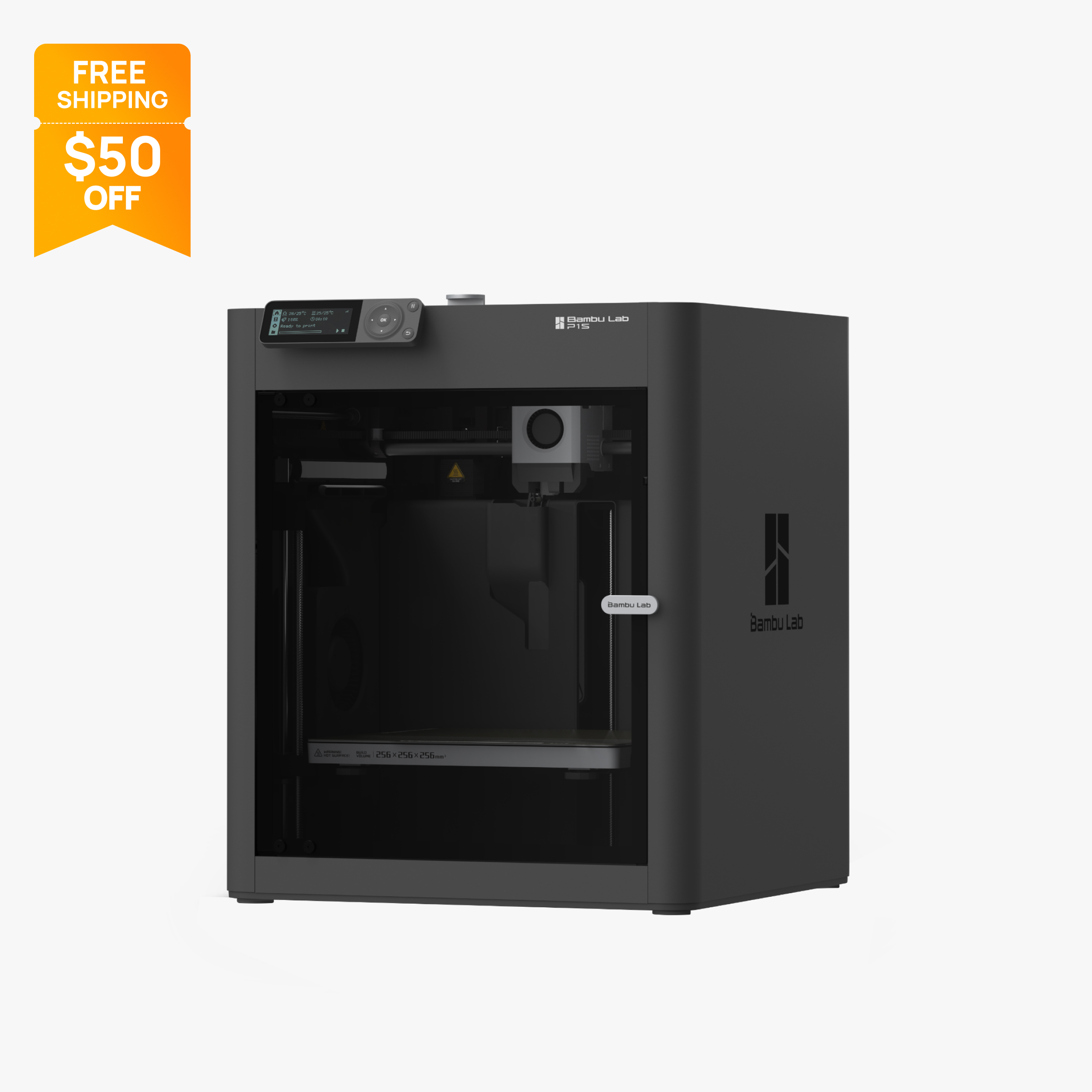
Enclosed 256 mm CoreXY printer with carbon filter, 20,000 mm/s² acceleration and AMS support.
$349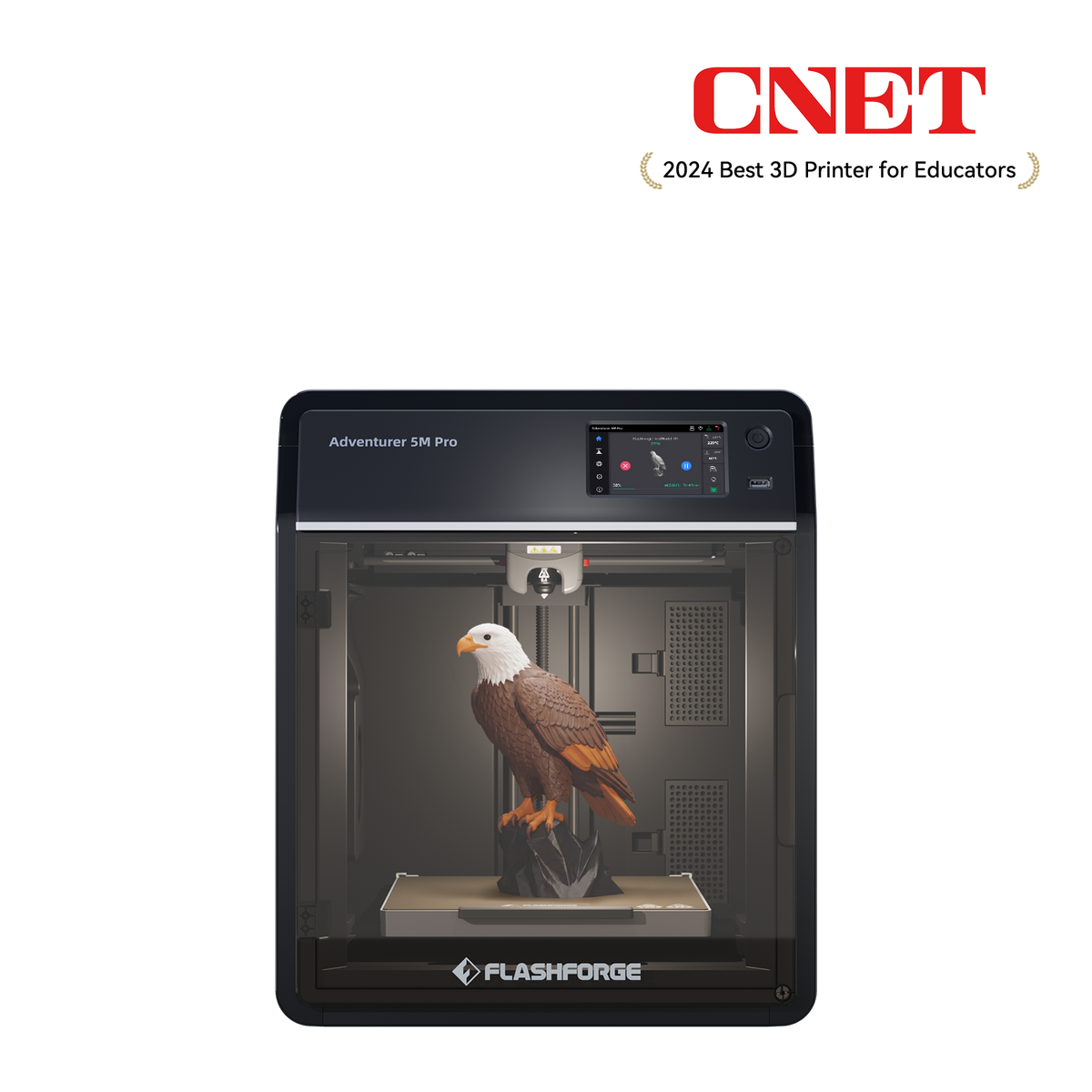
Enclosed CoreXY 220 mm cube printer with HEPA and carbon filtration, camera and ABS/ASA support
$379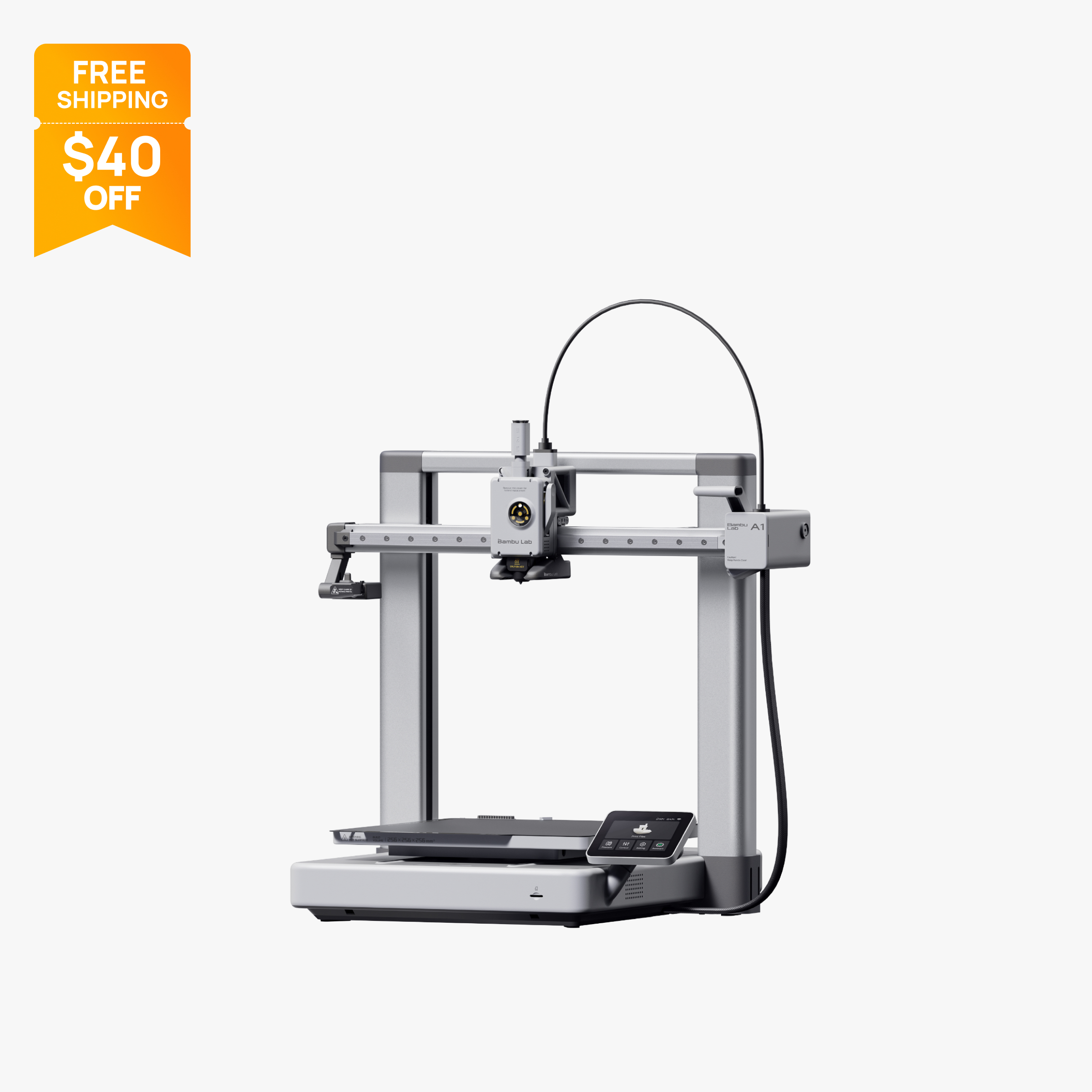
Open-frame 256 mm bed slinger with full auto calibration and optional 4-color AMS Lite.
$259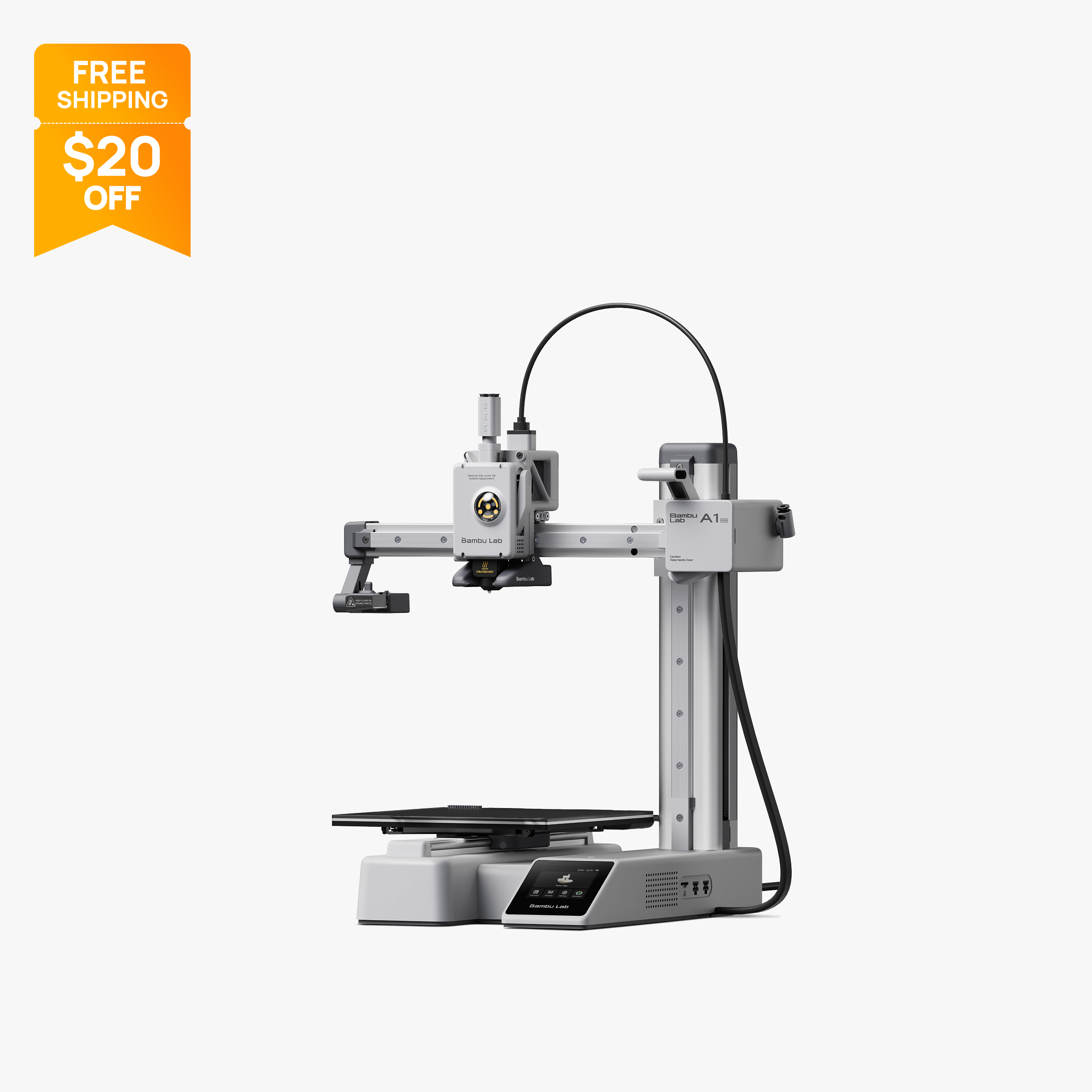
Compact 180 mm open-frame printer with 500 mm/s motion, 300 °C hot end and optional AMS Lite.
$199
Compact enclosed CoreXY printer with a 300 C hardened steel nozzle, AI camera and a 600 mm/s rating.
$499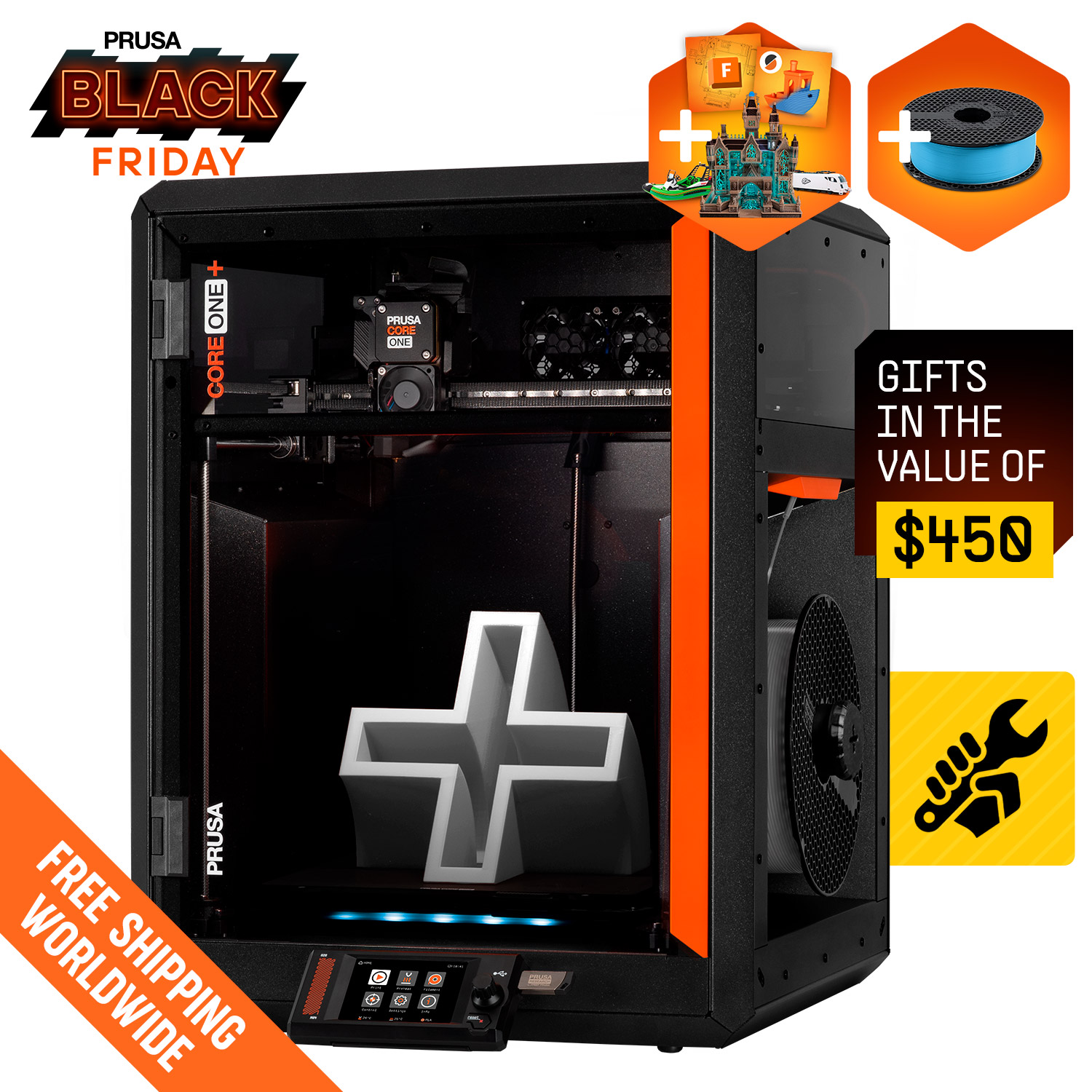
Enclosed CoreXY Prusa, now sold as the CORE One+ (Gen 2), with a 250 x 220 x 270 mm build, 55 °C heated chamber and optional MMU3
Comparison table
| Spec | Bambu Lab P1S | Flashforge Adventurer 5M Pro | Bambu Lab A1 | Bambu Lab A1 Mini | Creality K1C | Prusa Core One |
|---|---|---|---|---|---|---|
| Type | FDM | FDM | FDM | FDM | FDM | FDM |
| Price | $349 | $379 | $259 | $199 | $499 | Check current price |
| Build volume | 256×256×256 mm | 220×220×220 mm | 256×256×256 mm | 180×180×180 mm | 220×220×250 mm | 250×220×270 mm |
| Max speed | 500 mm/s | 600 mm/s | 500 mm/s | 500 mm/s | 600 mm/s | 300 mm/s |
| Multicolor | Yes (AMS or AMS 2 Pro (optional, up to 16 colors with 4 units)) | No | Yes (AMS Lite (optional, one unit, up to 4 colors)) | Yes (AMS Lite (optional, up to 4 colors)) | No | Yes (MMU3 (optional, up to 5 filaments); INDX toolchanger (up to 8, listed as coming soon)) |
| Enclosed | Yes | Yes | No | No | Yes | Yes |
| Auto bed leveling | Yes | Yes | Yes | Yes | Yes | Yes |
| Connectivity | Wi-Fi, Bluetooth, Bambu-Bus, microSD | Wi-Fi, Ethernet, USB | Wi-Fi, Bambu-Bus, microSD | Wi-Fi, Bambu-Bus, microSD | Wi-Fi, USB drive, Creality Cloud | Ethernet, Wi-Fi (optional module), USB drive, Prusa Connect |
| Noise | 48 dB | 55 dB | 49 dB | Not listed | Not listed | Not listed |
| Release year | 2023 | 2023 | 2023 | 2023 | 2024 | 2025 |
How we chose
A printer that lives in a home office, spare room or kitchen corner has different needs from one in a workshop. We ranked these picks on specs makers publish: the printer's footprint, published noise figures where a maker gives one, whether it has an enclosure and air filtration, app and Wi-Fi control, and safety features such as automatic shutdown and power loss recovery. Price at the time of writing (October 2026) was the tiebreaker. Every pick is based on manufacturer specs and official store prices, not lab tests. Few makers publish noise in decibels, so where a figure is missing we say so rather than guess. You can read more about how we work on our About Us page.
The picks
1. Bambu Lab P1S: best 3D printer for most homes
The Bambu Lab P1S is an enclosed CoreXY printer with a 256 x 256 x 256 mm build volume. For a home, the enclosure is the key feature: it keeps the hot nozzle and moving parts behind a door and lid, and Bambu adds an activated carbon filter along with extra cooling fans. Bambu lists PLA, PETG, TPU, ABS, ASA, PVA and PET as ideal materials, so the enclosure also opens up tougher filaments that warp on open-frame printers.
Control is mostly through the Bambu Handy app and Bambu Studio over Wi-Fi, and a 1280 x 720 chamber camera at 0.5 fps lets you check progress and record timelapses. You can add an AMS or AMS 2 Pro later for up to 16 colors with four units.
The tradeoffs: the 2.7 in button screen is basic, the camera is low frame rate, and Bambu does not publish a decibel figure for the P1S in the data we checked. Bambu also notes that Bambu Studio limits printable height to 250 mm by default to protect the heatbed.
At the time of writing (October 2026), Bambu's US store lists the P1S at $349 on sale (regular $399). See the Bambu Lab P1S specs or our A1 vs P1S comparison.
2. Flashforge Adventurer 5M Pro: best for air filtration and published noise
The Flashforge Adventurer 5M Pro is a fully enclosed CoreXY printer with a 220 x 220 x 220 mm build volume. It has the most complete filtration on this list for the price: internal and external air circulation with HEPA and activated carbon filters, which Flashforge says trap 99% of particles and VOCs. It is also one of the few printers here with published noise figures: 50 dB in low-noise mode and 55 dB in standard mode, according to Flashforge.
For home use it adds a built-in camera, Wi-Fi, Ethernet and USB, a 4.3 in touchscreen, automatic shutdown, filament run-out reminders and power loss recovery. The printer measures 380 x 400 x 453 mm excluding the spool holder, which fits on a sturdy desk. Flashforge lists ABS and ASA as supported thanks to the enclosure.
The tradeoffs: the 220 mm build volume is smaller than the P1S, there is no multicolor option for this model, and Flashforge does not list higher-temperature materials such as polycarbonate or nylon blends as supported. HEPA and carbon filters are consumables that lose effectiveness and need replacing.
At the time of writing (October 2026), Flashforge's US store lists the 5M Pro at $379 on sale (regular $529). See the Flashforge Adventurer 5M Pro specs.
3. Bambu Lab A1: best quiet open-frame printer
The Bambu Lab A1 is an open-frame bed slinger with a 256 x 256 x 256 mm build volume, and Bambu's US store lists operation as low as 49 dB, helped by active motor noise canceling. That is the lowest published noise figure among our picks. The A1 calibrates Z-offset, bed level, vibration resonance and nozzle pressure for every job, and it connects over Wi-Fi with a 3.5 in touchscreen. Bambu also offers a LAN-only mode for households that prefer not to use cloud printing.
It suits families who print PLA, PETG and TPU and want a large bed without paying for an enclosure. The tradeoffs for a home are space and exposure. Bambu lists the printer at 465 x 410 x 430 mm, and the bed moves front to back, so it needs more depth than the frame suggests. The open frame leaves the hot nozzle reachable, and Bambu lists ABS and ASA as not recommended and advises against enclosing the A1. Bambu's store FAQ notes a January 2024 heatbed cable recall and says units sold after January 30, 2024 are not affected.
At the time of writing (October 2026), the A1 is $259 on Bambu's US store (regular $299). See the Bambu Lab A1 specs.
4. Bambu Lab A1 mini: best for small spaces
The Bambu Lab A1 mini is the most compact full-featured printer here. Bambu lists it at 347 x 315 x 365 mm and 5.5 kg, with a 150 W maximum power draw, so it fits on a bookshelf or a corner of a desk and is easy to move between rooms. It has a 180 x 180 x 180 mm build volume, the same auto calibration approach as the A1, Wi-Fi control through Bambu Studio and Bambu Handy, and a camera for timelapses.
It suits apartments, dorm rooms and anyone who prints small household items such as hooks, organizers and replacement parts. Bambu's own guidance says most everyday prints fit within its volume. The tradeoffs: the 180 mm cube is too small for large items, the bed tops out at 80 °C, and Bambu lists ABS, ASA, PC and PA as not recommended. Like the A1, it is open frame, so curious hands and pets can reach the nozzle and moving bed. Bambu does not publish a noise figure for the A1 mini in the data we checked.
At the time of writing (October 2026), the A1 mini is $199 on Bambu's US store (regular $219), and the A1 mini Combo with the AMS Lite for multicolor printing is $299. See the Bambu Lab A1 mini specs.
5. Creality K1C: best compact enclosed printer
The Creality K1C is an enclosed CoreXY printer with a 220 x 220 x 250 mm build volume in a compact frame, so it fits on a desk where a 300 mm class machine such as the K1 Max would not. It ships with an all-metal hotend and a hardened steel nozzle rated to 300 C, which handles abrasive carbon fiber filaments. A built-in AI camera supports error detection, remote monitoring and timelapse, and Wi-Fi with Creality Print and Creality Cloud handles remote jobs and over-the-air firmware updates.
It suits makers who want enclosed printing in a small space and plan to try filled filaments. The enclosure keeps hot parts behind a door and makes ABS and ASA more practical than on open printers. The tradeoffs: the chamber is warmed only by the bed, there is no multicolor system, and Creality does not publish a noise figure in the data we checked. The price is also close to the larger K1 Max.
At the time of writing (October 2026), Creality's US store lists the K1C 2025 at $499 on sale (regular $559). See the Creality K1C specs.
6. Prusa CORE One: best premium enclosed printer
The Prusa CORE One, now sold as the CORE One+ (Gen 2), is an enclosed CoreXY printer with a 250 x 220 x 270 mm build volume and active chamber heating up to 55 °C. For a home it combines an enclosure with Prusa's open ecosystem: PrusaSlicer, published firmware, printable spare parts and a large help center. It connects over Ethernet, USB and Prusa Connect, with Wi-Fi available through an optional module.
It suits buyers who want a long-term, repairable enclosed printer and are willing to pay more for it. The tradeoffs: Wi-Fi is not standard, Prusa does not publish a top speed or noise figure, and the MMU3 multi-material unit is an add-on.
We could not confirm a single verified US price for the assembled printer, because Prusa's store showed different figures on the product page and its comparison table when checked. Check the cart total on Prusa's store before ordering. See the Prusa CORE One specs or our CORE One vs P1S comparison.
What to look for in a home 3D printer
Measure the space, not just the printer. Bed slingers such as the A1 move the bed front to back, so they need extra depth beyond the listed size. Enclosed CoreXY printers keep everything inside the frame. Leave room for the spool holder and, on multicolor setups, the filament unit.
Look for published noise figures. Few makers publish decibels. Bambu lists the A1 as low as 49 dB, and Flashforge lists the Adventurer 5M Pro at 50 dB in low-noise mode and 55 dB in standard mode. If no figure is published, treat claims of quiet operation with caution, and plan to run long jobs when nobody is trying to sleep nearby.
Decide whether you need an enclosure. An enclosure keeps hot parts and moving belts behind a door, holds heat for ABS and ASA, and gives filters something to work with. Open-frame printers are cheaper and fine for PLA, but they leave the nozzle exposed.
Understand filtration. HEPA filters target particles, and activated carbon targets odors and VOCs. The Adventurer 5M Pro has both; the P1S lists an activated carbon filter. Filters are consumables and need replacing, and no filter replaces good room ventilation. Place any printer in a well-ventilated room, especially if you plan to print ABS or ASA.
Use the app, but know your options. Wi-Fi and a phone app let you start, pause and watch prints from another room. If you prefer to keep a printer off the cloud, Bambu offers a LAN-only mode, and Flashforge and Creality list Ethernet.
Check the safety features. Power loss recovery, filament run-out detection, cameras with failure detection and automatic shutdown all reduce the chance of a long job going wrong while you are away. Check the maximum power draw too: the A1 mini lists 150 W, while large printers draw much more.
Which pick fits your home
- Shared living space or home office: the Adventurer 5M Pro, for its HEPA and carbon filtration, published noise figures and enclosure.
- Most households that want one printer for everything: the P1S, which balances an enclosure, carbon filter, app control and a 256 mm volume.
- Quiet printing of PLA and PETG on a budget: the A1, as long as you have the depth for its moving bed and can keep children away from the exposed nozzle.
- Small apartment or dorm room: the A1 mini, with the smallest footprint here and a listed 150 W maximum power draw.
- Enclosed printing on a narrow desk: the K1C.
- A printer you plan to keep and repair for years: the CORE One.
What changed this update
Bambu ended production and active sales of the X1 Carbon (Bambu now sells newer models such as the X2D), Elegoo's original Centauri Carbon has been replaced by the Centauri Carbon 2, the QIDI Q1 Pro has been replaced by the QIDI Q2, and the Anycubic Kobra S1 Combo has given way to the Kobra S1 ACE 2 Pro Combo. Prusa's CORE One is now sold as the CORE One+ (Gen 2). For more enclosed options see our best enclosed 3D printers, and if the printer is for children, read our best 3D printers for kids.
Frequently asked questions
What is the best 3D printer for home use?
The Bambu Lab P1S is our top pick for most homes because it is enclosed, has an activated carbon filter, runs from an app over Wi-Fi and has a 256 mm build volume. At the time of writing (October 2026) it is $349 on Bambu's US store. If you want HEPA filtration and published noise figures, look at the Flashforge Adventurer 5M Pro.
Is it safe to have a 3D printer in your house?
Yes, if you follow the maker's guidance. Place it on a stable surface in a well-ventilated room, keep children and pets away from hot and moving parts, and do not reach inside while it runs. Enclosed printers with filtration and auto shutdown reduce exposure to hot parts and emissions.
What is the quietest 3D printer for home use?
Among our picks, Bambu lists the A1 as low as 49 dB, the lowest published figure. Flashforge lists the Adventurer 5M Pro at 50 dB in low-noise mode and 55 dB in standard mode. Many makers do not publish noise figures at all, so compare only printers that do.
Do I need an enclosed 3D printer at home?
Not for PLA, which prints well on open-frame printers. An enclosure helps if you want ABS or ASA, want hot parts kept behind a door, or want filtration to work effectively. Enclosed printers usually cost more than open-frame models with similar build volumes.
How much space does a home 3D printer need?
Compact printers such as the A1 mini (347 x 315 x 365 mm) fit on a shelf. Bed slingers such as the A1 (465 x 410 x 430 mm) need extra depth because the bed moves. Add room for the spool holder and any multicolor unit.
Can I control a home 3D printer from my phone?
Yes. Bambu printers use the Bambu Handy app, Creality uses Creality Cloud and Creality Print, and Flashforge lists Wi-Fi and Ethernet control. Most also include a camera so you can check progress remotely.
Sources
- Bambu Lab P1S on the official US store (price, parameters, FAQ)
- Bambu Lab P1 series page (official)
- Flashforge Adventurer 5M Pro product page (official US store)
- Bambu Lab A1 on the official US store (price, specs, FAQ, recall note)
- Bambu Lab A1 tech specs (official)
- Bambu Lab A1 mini tech specs (official)
- Bambu Lab A1 mini on the official US store (price)
- Creality US store, K1C 2025 (official)
- Creality K1C support and parameters (official)
- Prusa CORE One+ (Gen 2) assembled (official store)
- The X1 series is EOL (official Bambu Lab blog)
- Elegoo Centauri Carbon 2, US store (official)
- QIDI Q1 Pro product page (official, discontinued notice)