Best 3D Printers for Miniatures (2026)
The Anycubic Photon Mono M7 Pro is the best 3D printer for miniatures if detail comes first, with the smallest listed XY pixel here (16.8 µm). The Elegoo Mars 5 Ultra is the better value at $284 at the time of writing.
Updated October 28, 2026
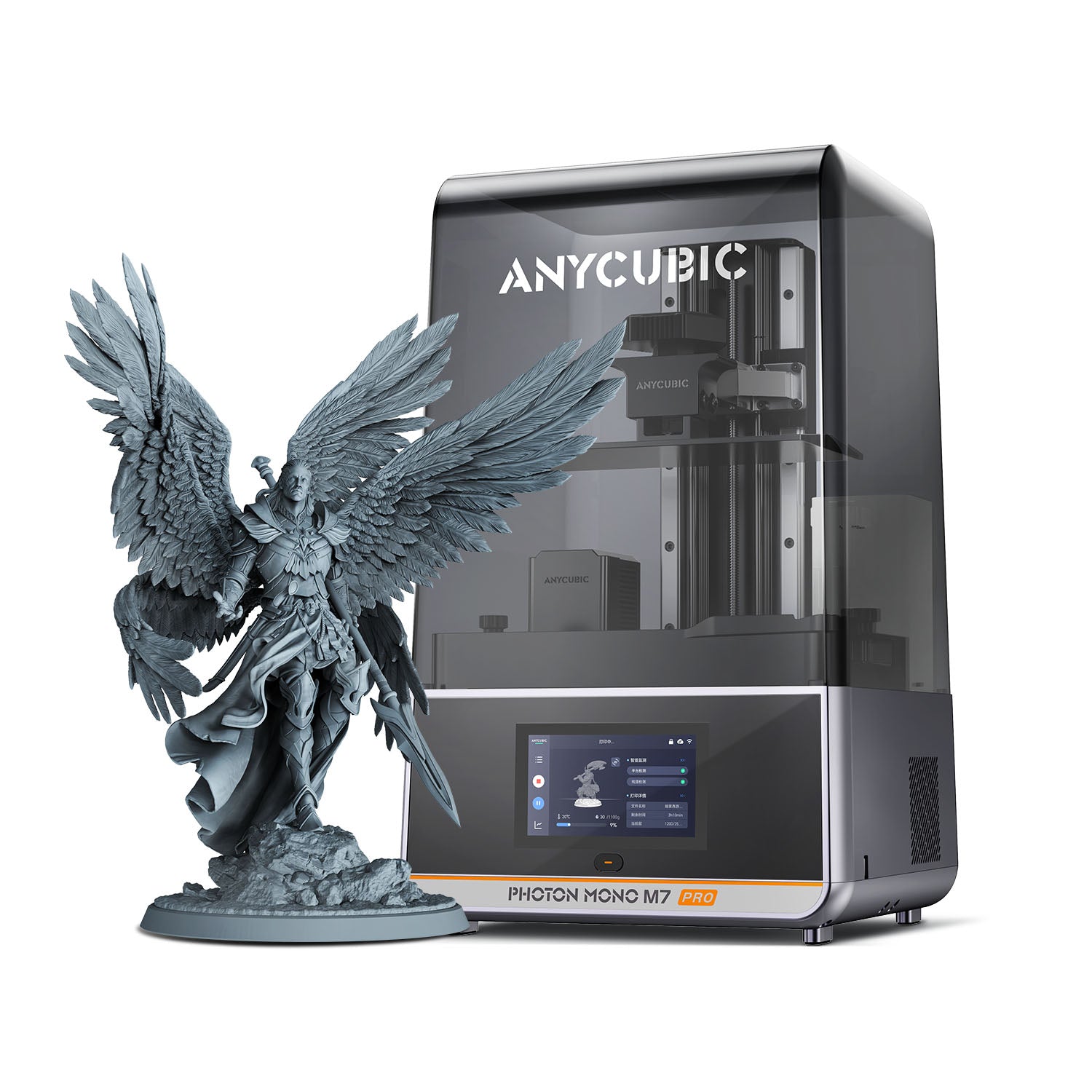
10.1-inch 14K mono resin printer with a 223 x 126 x 230 mm volume, heated vat and Wi-Fi
$489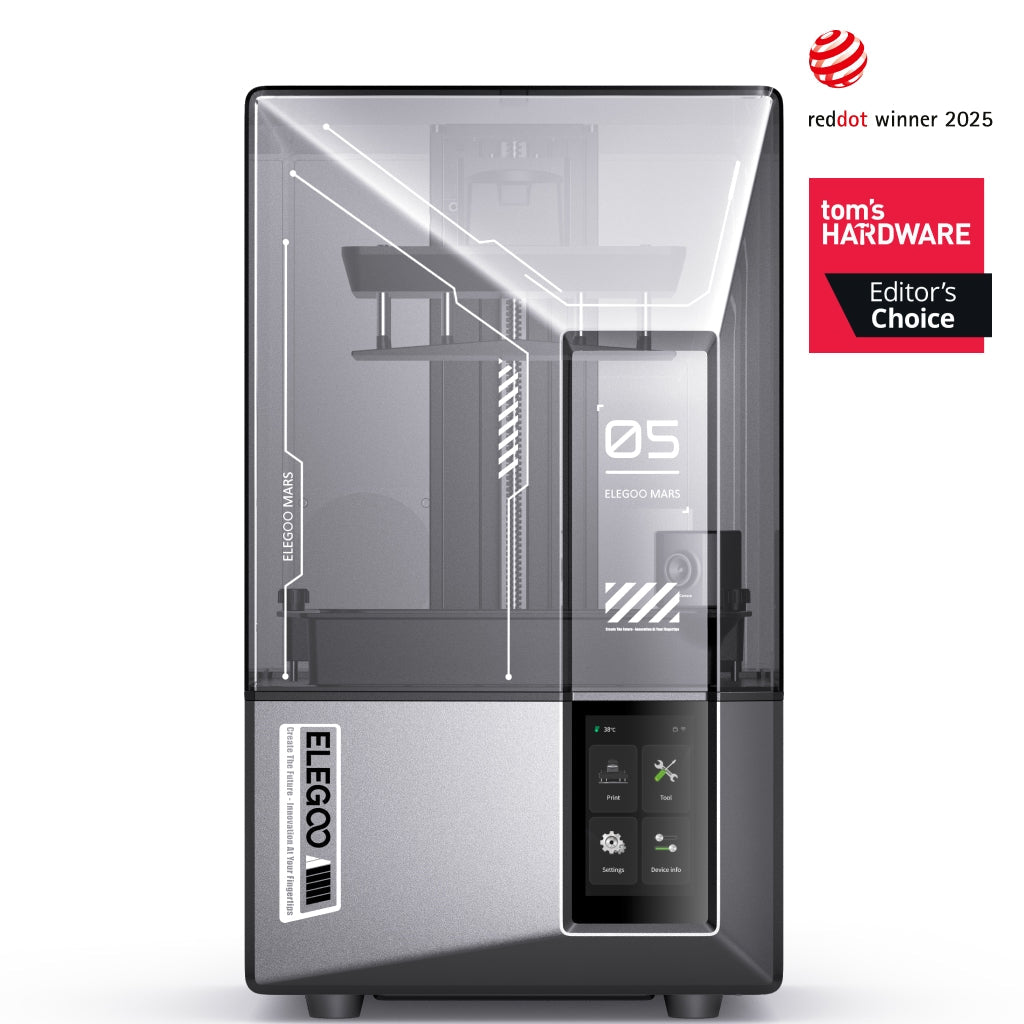
Compact resin printer with a 7 in 9K mono LCD, 18 µm XY detail, 150 mm/h speed, AI camera and auto leveling.
$284
10 in 12K resin printer with a 218.88 x 122.88 x 220 mm build volume, tilt release and 150 mm/h speed.
$593.99
Entry-level resin printer with a 6.6 in 4K mono LCD, 35 µm XY resolution and one-click auto leveling.
$184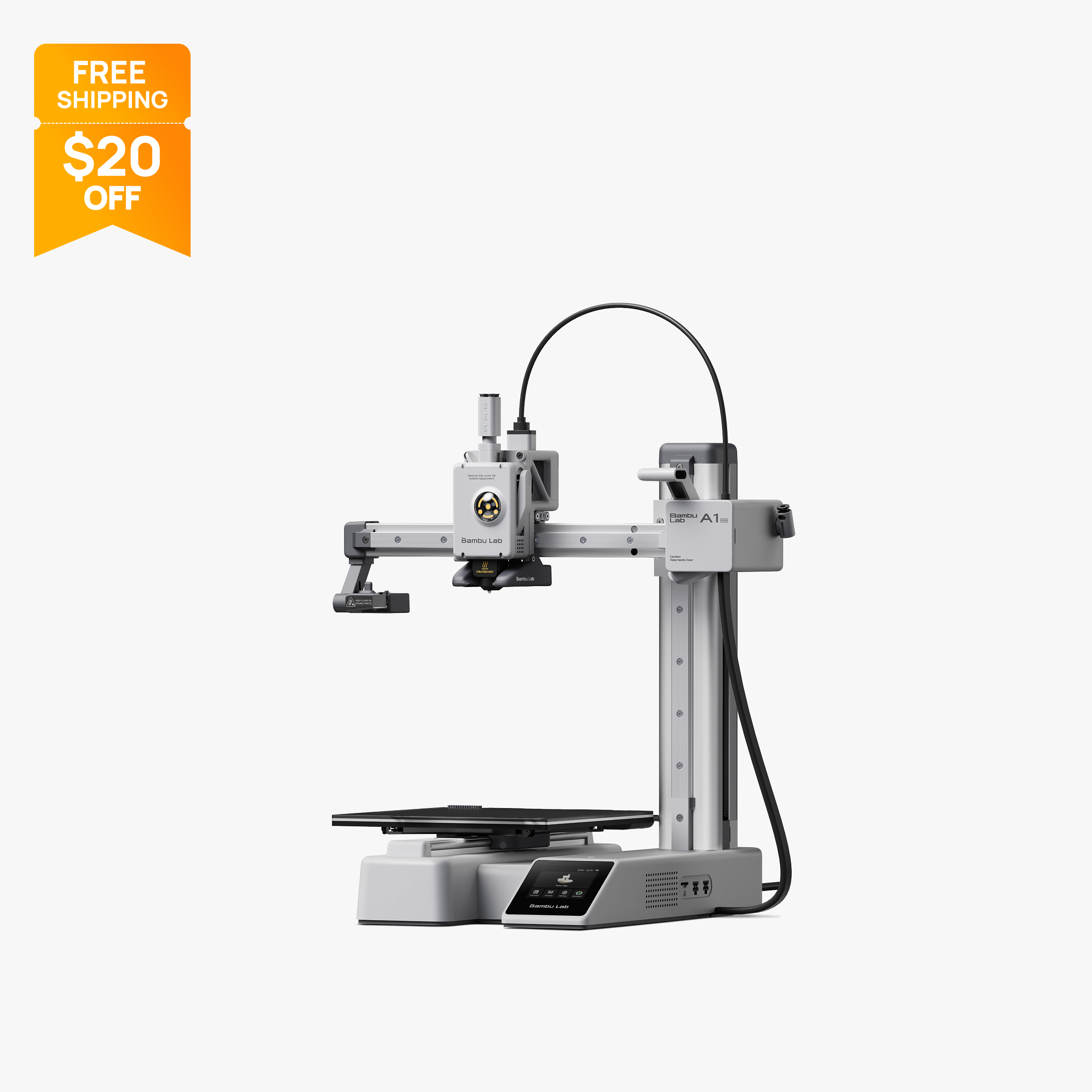
Compact 180 mm open-frame printer with 500 mm/s motion, 300 °C hot end and optional AMS Lite.
$199
Comparison table
| Spec | Anycubic Photon Mono M7 Pro | Elegoo Mars 5 Ultra | Elegoo Saturn 4 Ultra | Elegoo Mars 5 | Bambu Lab A1 Mini |
|---|---|---|---|---|---|
| Type | resin | resin | resin | resin | FDM |
| Price | $489 | $284 | $593.99 | $184 | $199 |
| Build volume | 223×126×230 mm | 153×77×165 mm | 219×123×220 mm | 153×77×165 mm | 180×180×180 mm |
| Max speed | Not listed | Not listed | Not listed | Not listed | 500 mm/s |
| Multicolor | No | No | No | No | Yes (AMS Lite (optional, up to 4 colors)) |
| Enclosed | Yes | Yes | Yes | Yes | No |
| Auto bed leveling | Yes | Yes | Yes | Yes | Yes |
| Connectivity | USB drive, Wi-Fi, LAN, Anycubic app | Wi-Fi, USB | Wi-Fi | USB | Wi-Fi, Bambu-Bus, microSD |
| Noise | Not listed | Not listed | 45 dB | Not listed | Not listed |
| Release year | 2024 | 2024 | 2024 | 2024 | 2023 |
How we chose
Miniatures for tabletop games are small, so the spec that matters most is how fine the printer can draw each layer. For resin printers that is the XY pixel size in µm, so we ranked resin picks by that figure first, then by plate area for batch printing, release and leveling features, and price. Every pick is based on manufacturer specs and official store prices at the time of writing (October 2026), not lab tests. We included one FDM printer, and only because its maker officially sells a 0.2 mm nozzle aimed at miniature models; we explain its limits honestly. You can read more about how we work on our About Us page, and our FDM vs resin guide covers the two technologies in more depth.
The picks
1. Anycubic Photon Mono M7 Pro: best for maximum detail
The Anycubic Photon Mono M7 Pro has a 10.1 in 14K mono LCD (13320 x 5120) with a 16.8 x 24.8 µm XY pixel, the smallest XY figure listed by any printer on this page. For miniature painters, that means crisp faces, chainmail and edges on 28 to 32 mm scale figures. The 223 x 126 x 230 mm build volume fits a full plate of figures or a single larger bust, so it doubles as a batch printer.
It also has features that matter for long resin sessions. Vat heating from 20 to 40°C keeps resin flowing consistently in a cold room, leveling-free setup reduces prep, resin level and residue detection catch common problems, and USB, Wi-Fi and LAN transfer plus the Anycubic app let you send jobs remotely. Anycubic rates it at up to 170 mm/h with high-speed resin at 0.1 mm layers.
The tradeoffs: the pixels are not square, so the finer 16.8 µm figure applies on one axis only. Lychee Slicer support is listed as scheduled, which limits you to Photon Workshop and Chitubox for now. At 12.8 kg it is heavy, and washing and curing need separate equipment.
At the time of writing (October 2026), Anycubic's store lists it at $489 on sale (regular $669). See the Anycubic Photon Mono M7 Pro specs.
2. Elegoo Mars 5 Ultra: best value for miniature painters
The Elegoo Mars 5 Ultra puts a 7 in 9K mono LCD (8520 x 4320) and 18 µm XY detail into a compact printer. That is close to the M7 Pro's finest axis, at a much lower price, which makes it the best value for anyone who mainly prints figures for tabletop games. Elegoo rates it at up to 150 mm/h with tilt release, and it adds automatic leveling and a built-in AI camera for remote monitoring.
It suits players who print a squad or a few heroes at a time. The smaller 7 in screen is the main limit: big army batches or large monsters will need several runs, and Elegoo's readable store pages do not list the build volume. Tom's Hardware's review reported that prints could stick hard to the laser-etched plate until first-layer exposure was reduced, so expect some tuning.
At the time of writing (October 2026), Elegoo's US store lists the Mars 5 Ultra at $284 on sale (regular $338). Elegoo also sells a complete bundle with a Mercury XS wash and cure station, which covers post-processing in one purchase. See the Elegoo Mars 5 Ultra specs.
3. Elegoo Saturn 4 Ultra: best for printing whole armies
The Elegoo Saturn 4 Ultra pairs a 10 in 12K mono LCD (11520 x 5120) with 19 x 24 µm pixels and a 218.88 x 122.88 x 220 mm build volume. Detail per pixel is close to the Mars 5 Ultra, but the plate is much larger, so you can fill it with a whole unit, terrain pieces or a large centerpiece model in one run. Tilt release, a rated 150 mm/h, automatic leveling and a built-in AI camera are all included, and Tom's Hardware gave it an Editor's Choice award.
It suits players who build whole armies, sell painted or unpainted figures, or print big display pieces. The tradeoffs are cost and resin use: a 10 in vat takes more resin to fill, and the non-square pixels make detail slightly coarser on one axis. Tom's Hardware also noted the build plate top does not slope enough to drain resin well.
At the time of writing (October 2026), the 12K model is $593.99 on Elegoo's US store, and the newer Saturn 4 Ultra 16K is $649.99 on the same store, so compare both. See the Elegoo Saturn 4 Ultra specs or our Mars 5 Ultra vs Saturn 4 Ultra comparison.
4. Elegoo Mars 5: best budget miniature printer
The Elegoo Mars 5 is the cheapest resin pick here. It has a 6.6 in 4K mono LCD (4098 x 2560) with 35 µm XY detail, plus one-click self-check and auto leveling. For miniatures, 35 µm still gives far finer layers than a standard FDM nozzle, but it is roughly twice the pixel size of the Mars 5 Ultra, so the smallest details will be softer.
It suits newcomers who want to try resin miniatures without a big spend, and anyone printing small numbers of figures. The small screen limits batch size, and Elegoo's store page lists no tilt release, camera or Wi-Fi for this model. Elegoo also does not publish a build volume or print speed for the base Mars 5 on its readable store pages. On the plus side, Elegoo sells a replacement 6.6 in 4K LCD directly.
At the time of writing (October 2026), Elegoo's US store lists the Mars 5 at $184 on sale (regular $225). If detail is your priority, the Mars 5 Ultra is the better long-term buy. See the Elegoo Mars 5 specs.
5. Bambu Lab A1 mini: best FDM option for miniatures
Some buyers do not want to handle liquid resin at all. For them, the Bambu Lab A1 mini is a realistic FDM option, with an important condition: swap the stock 0.4 mm nozzle for a 0.2 mm one. Bambu's US store sells a 0.2 mm stainless steel hotend for the A1 mini as a separate accessory, and Bambu lists miniature models, intricate logos and text as common uses for the 0.2 mm size.
Be clear about what that gets you. FDM layers and nozzle lines remain visible at miniature scale, and resin printers on this page produce smoother surfaces and sharper fine detail. Bambu's own compatibility table also says the 0.2 mm nozzle is not suited to TPU or filaments with particles such as sparkle, marble, wood or carbon fiber, so stick with plain PLA or PETG. On the plus side, there is no washing, curing or resin handling, and the A1 mini's 180 x 180 x 180 mm volume, full auto calibration and Wi-Fi make it easy to live with. It also prints terrain, bases and storage trays well with the standard nozzle.
At the time of writing (October 2026), Bambu's US store lists the A1 mini at $199 on sale (regular $219), with the A1 mini Combo for multicolor at $299; the 0.2 mm hotend costs extra. See the Bambu Lab A1 mini specs.
What to look for in a 3D printer for miniatures
XY pixel size is the headline spec. On a resin printer, the XY figure in µm tells you how small each cured pixel is. Lower is finer: 16.8 µm on the M7 Pro's best axis, 18 µm on the Mars 5 Ultra, 19 x 24 µm on the Saturn 4 Ultra and 35 µm on the Mars 5. Ignore the "K" label on its own, because the same pixel count on a bigger screen gives bigger pixels. Formlabs notes that resolution also depends on light uniformity, collimation and anti-aliasing, so pixel size is the most useful number but not the only factor.
Check whether pixels are square. The M7 Pro and Saturn 4 Ultra both list different X and Y figures. Detail is slightly coarser along the larger axis.
Pick a plate size that matches how you play. A 6.6 to 7 in printer is ideal for a few figures per session. A 10 in printer prints whole units at once, which saves time if you build armies, but each vat fill uses more resin.
Release and leveling reduce failures. Tilt release on the Mars 5 Ultra and Saturn 4 Ultra aims to reduce the force on each layer as it separates from the film. All four resin picks list automatic or leveling-free setup.
Budget for post-processing. Resin miniatures must be washed and cured. A combined wash and cure station, such as Elegoo's Mercury XS or Anycubic's Wash & Cure, is the simplest option, and you will also need gloves and a wash solvent such as isopropyl alcohol.
Be realistic about FDM. A 0.2 mm nozzle helps, but FDM is still the second-best route for small, detailed figures. It is the better choice if you also want terrain, larger props and functional parts from the same machine.
Which pick fits how you play
- You paint a few display-quality heroes at a time: the Mars 5 Ultra gives 18 µm detail on a compact plate, and the M7 Pro is worth the extra money if you want the finest listed axis and a heated vat.
- You build whole armies or sell figures: the Saturn 4 Ultra or M7 Pro, because a 10 in plate prints a full unit per run and print time depends on height rather than the number of models.
- You want to try resin cheaply: the Mars 5 keeps the printer cost lowest, but add the price of a wash and cure setup, gloves and resin before comparing it with FDM.
- You will not handle liquid resin: the A1 mini with a 0.2 mm hotend, accepting more visible layers in exchange for a cleaner, simpler workflow and a printer that also handles terrain and accessories.
- You print in a cold garage or basement: the M7 Pro, since its vat heater is designed to keep resin viscosity consistent in a cool room.
Resin safety for miniature painters
Resin handling is the main downside of the best miniature printers. Formlabs advises wearing gloves whenever you touch liquid resin or unwashed parts, because liquid resins are sensitizers and repeated skin contact can cause an allergy over time. Never pour resin down the sink, cure small amounts solid before throwing them away, and follow local rules for larger quantities. Isopropyl alcohol is flammable, so keep it sealed, away from ignition sources, and use it in a ventilated room. Check each resin's safety data sheet, since some resins need more ventilation than others.
What changed this update
No miniature picks were removed, because all five are listed in stock on their makers' stores. Elegoo now sells the Saturn 4 Ultra 16K alongside the 12K model, and Bambu's 0.2 mm A1 series hotend is confirmed on its US store. For more resin options, including a professional machine, see our best resin 3D printers. If you want color figures from filament, our best multicolor 3D printers page covers that.
Frequently asked questions
What is the best 3D printer for miniatures?
For the finest detail, the Anycubic Photon Mono M7 Pro lists the smallest XY pixel among our picks at 16.8 x 24.8 µm. For the best value, the Elegoo Mars 5 Ultra offers 18 µm detail for $284 at the time of writing (October 2026). Both are resin printers, which suit miniatures better than FDM.
Is resin or FDM better for miniatures?
Resin is better for miniatures because an LCD cures each layer with pixels measured in microns, which captures faces and fine edges. FDM can print acceptable figures with a 0.2 mm nozzle, but layer lines stay more visible. FDM avoids resin handling, washing and curing.
Can you print miniatures on a Bambu Lab A1 mini?
Yes, with limits. Bambu sells a 0.2 mm stainless steel hotend for the A1 mini and lists miniature models as a common use. Expect more visible layers than resin, and avoid TPU or particle-filled filaments, which Bambu says are not suited to the 0.2 mm nozzle.
What resolution do I need for tabletop miniatures?
Look at the XY pixel size in µm rather than the K rating. Printers in the 16.8 to 19 µm range, such as the M7 Pro, Mars 5 Ultra and Saturn 4 Ultra, are built for fine miniature detail. A 35 µm printer such as the Mars 5 still works but softens the smallest features.
How many miniatures can a resin printer make at once?
It depends on the plate size and how you orient and support the figures. A 10 in printer such as the Saturn 4 Ultra, with a 218.88 x 122.88 mm plate, holds far more figures per run than a 6.6 or 7 in printer. Print time depends on height, not how many models are on the plate.
Do I need a wash and cure station for resin miniatures?
You need some way to wash off uncured resin and post-cure parts with UV light. A combined station is the simplest option, and Elegoo sells a Mars 5 Ultra bundle that includes a Mercury XS. Gloves and a solvent such as isopropyl alcohol are also required.
Sources
- Anycubic Photon Mono M7 Pro product page (official store)
- Elegoo Mars 5 Ultra, US store product page (official)
- Elegoo Mars 5 Ultra Complete Bundle with Mercury XS, US store (official)
- Tom's Hardware: Elegoo Mars 5 Ultra review
- Elegoo Saturn 4 Ultra 12K, US store product page (official)
- Elegoo Saturn 4 Ultra 16K, US store (official)
- Tom's Hardware: Elegoo Saturn 4 Ultra review
- Elegoo Mars 5, US store product page (official)
- Bambu Lab A1 mini on the official US store
- Bambu Lab A1 mini tech specs (official)
- Bambu Hotend for A1 series, incl. 0.2 mm stainless steel (official US store)
- Formlabs: SLA vs. DLP vs. MSLA vs. LCD resin 3D printers
- Formlabs: Resin 3D printing safety FAQ
- Formlabs support: Introduction to isopropyl alcohol (IPA)