Prusa Core One vs Bambu Lab P1S
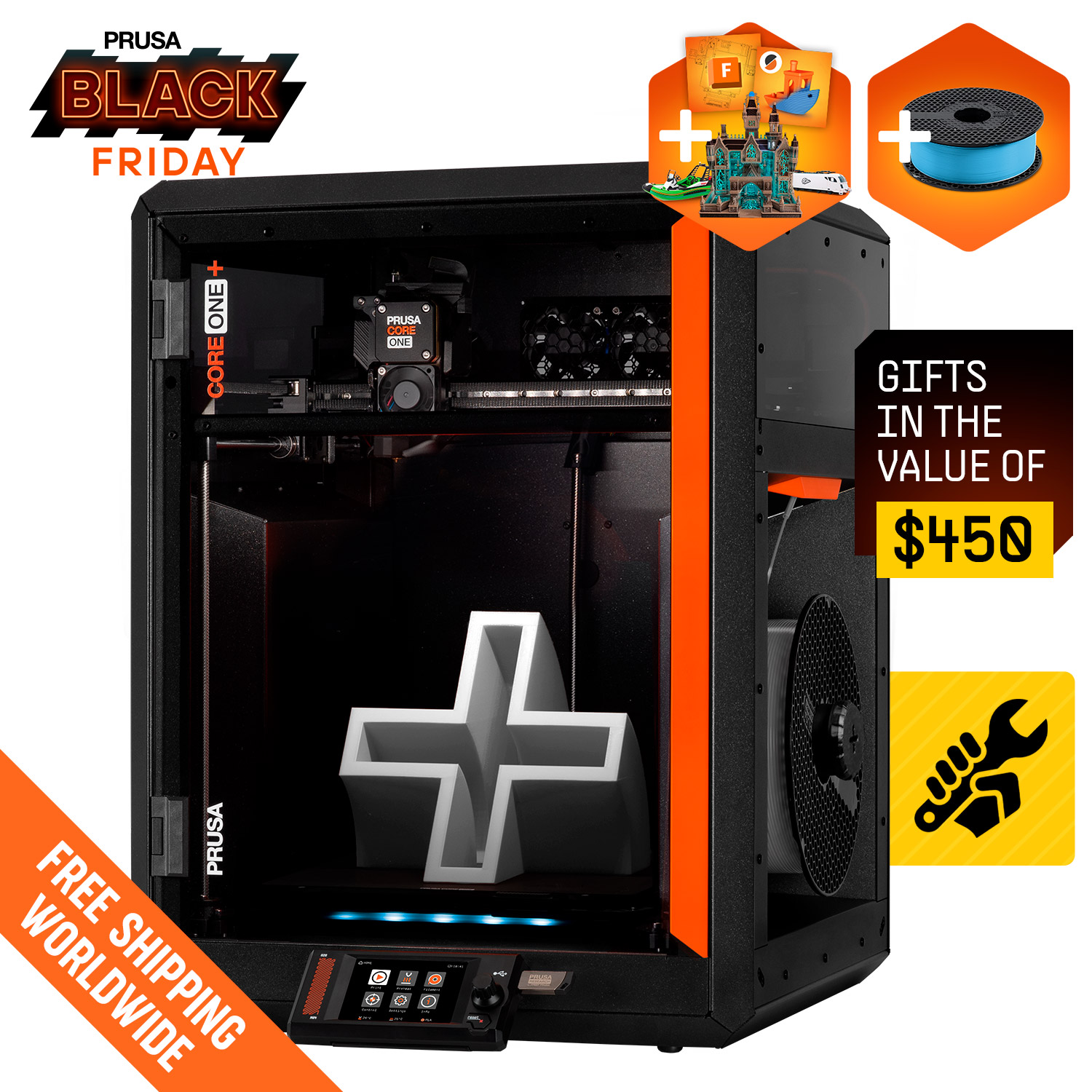
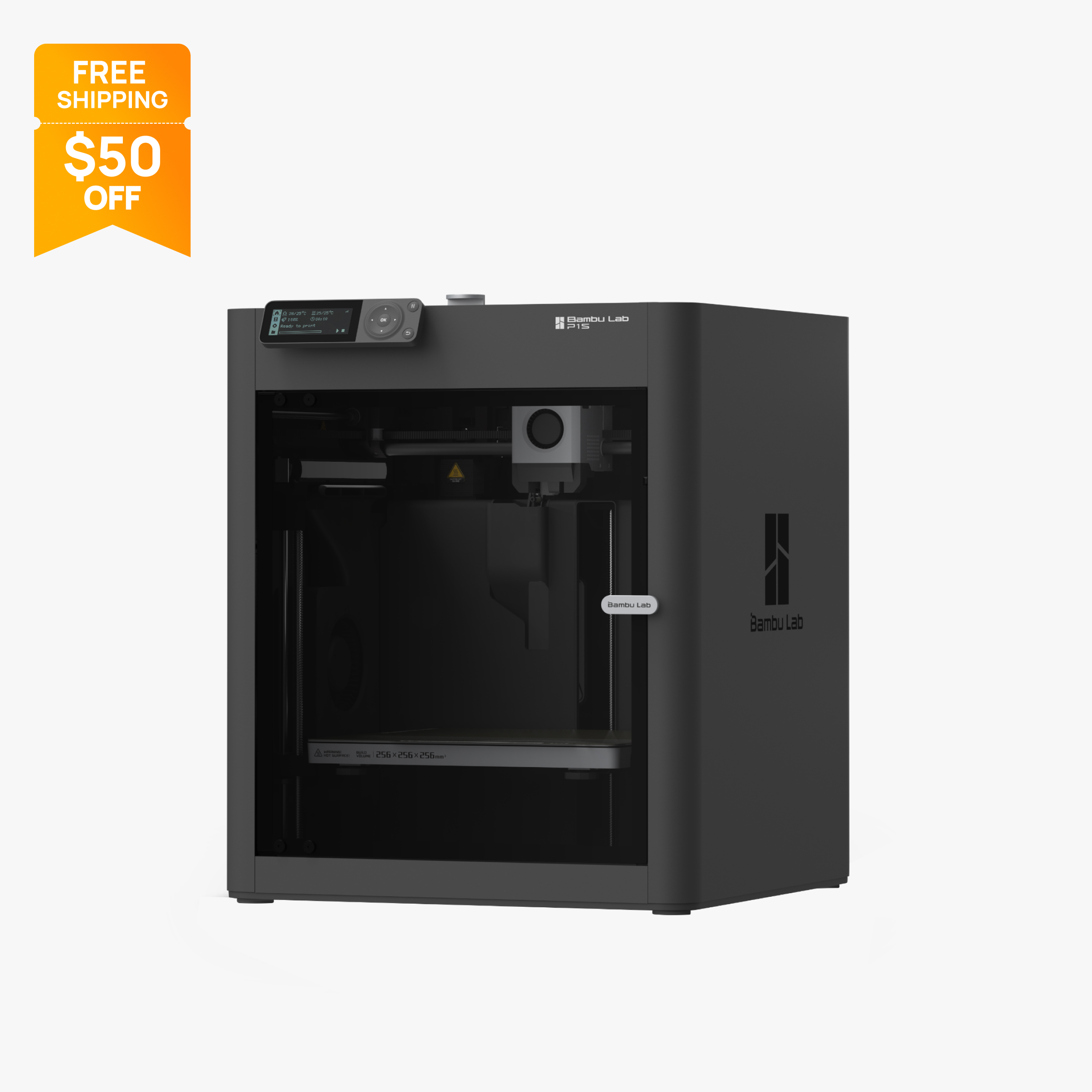
Verdict
Pick the Prusa Core One (now sold as CORE One+ Gen 2) for a 55°C heated chamber, a 120°C bed and Ethernet; check prusa3d.com for its price. Pick the P1S at $349 (October 2026) for the lowest price and AMS multicolor up to 16 colors.
Specs side by side
| Spec | Prusa Core One | Bambu Lab P1S |
|---|---|---|
| Type | FDM | FDM |
| Price | Check current price | $349 |
| Build volume | 250×220×270 mm | 256×256×256 mm |
| Max speed | 300 mm/s | 500 mm/s |
| Multicolor | Yes (MMU3 (optional, up to 5 filaments); INDX toolchanger (up to 8, listed as coming soon)) | Yes (AMS or AMS 2 Pro (optional, up to 16 colors with 4 units)) |
| Enclosed | Yes | Yes |
| Auto bed leveling | Yes | Yes |
| Connectivity | Ethernet, Wi-Fi (optional module), USB drive, Prusa Connect | Wi-Fi, Bluetooth, Bambu-Bus, microSD |
| Noise | Not listed | 48 dB |
| Release year | 2025 | 2023 |
Quick answer
One naming note first: the Prusa Core One is now sold as the CORE One+ (Gen 2). The original CORE One product pages on prusa3d.com now sell the refreshed model on the same 250 x 220 x 270 mm platform. This page compares that printer family with the Bambu Lab P1S.
Pick the Core One if you want a heated chamber (up to 55°C), a 120°C bed, Ethernet, INDX toolchanger compatibility and a kit or assembled option. Pick the P1S if price matters most, you want AMS multicolor with up to 16 colors, or you want the lower entry cost: the P1S is $349 at the time of writing (October 2026). For the Core One price, check prusa3d.com.
Key differences
Chamber and materials
The biggest hardware difference is chamber control. Prusa lists active chamber heating up to 55°C on the Core One, with a bed that reaches 120°C and a standard hotend rated to 290°C. That combination makes ABS and ASA more practical than on open-frame machines. Prusa lists an HT hotend (up to 400°C) as coming soon. Prusa also lists HEPA filtration as an optional add-on.
The P1S is enclosed and includes an activated carbon filter, which Bambu lists as ideal for ABS and ASA. It has no active chamber heating, so PA and PC are rated only as capable rather than ideal. The nozzle reaches 300°C and the bed 100°C. Carbon and glass fiber filaments are not recommended until you upgrade the stock stainless steel nozzle and extruder.
So the trade is clear: the Core One gives you more headroom on bed temperature and chamber heat, while the P1S gives you a slightly hotter nozzle ceiling out of the box but no heated chamber. If engineering materials are central to your use, read best enclosed 3D printers and our materials page.
Multicolor options
Both printers need an add-on for multicolor. The Core One supports Prusa's MMU3 for up to five filaments, and Prusa lists the INDX toolchanger as an upcoming option for up to eight, shown as coming soon. Buying the MMU3 adds cost and setup time to the base printer.
The P1S supports Bambu's AMS or AMS 2 Pro, with up to 16 colors using four units. Bambu sells the P1S AMS Combo at $479 and the AMS 2 Pro Combo at $509, and the AMS 2 Pro Combo adds active filament drying. Both approaches use a single nozzle, so color changes purge filament, and multicolor prints take longer and use more material than single-color ones.
If you want the largest number of colors on an affordable machine, the P1S route is cheaper and scales higher today. If you value Prusa's toolchanger roadmap and are willing to wait for INDX availability, the Core One is the longer-term bet. See best multicolor 3D printers for the wider field.
Speed and build volume
Bambu publishes 500 mm/s and 20,000 mm/s² for the P1S. Prusa publishes no numeric top speed or acceleration for the Core One on its official pages, only qualitative language, so a direct speed comparison from specifications is not possible. Without published numbers, do not assume either machine is faster. Real print time depends on profile settings, layer height and part geometry.
Build volume is close. The Core One lists 250 x 220 x 270 mm (about 14.9 liters) and the P1S lists 256 x 256 x 256 mm (about 16.8 liters). The Core One is 14 mm taller; the P1S has more floor area. One P1S detail: Bambu Studio defaults the printable height to 250 mm to protect the heatbed, and using the full 256 mm needs a procedure documented on Bambu's wiki.
For most parts the volume difference will not matter. For tall, narrow prints the Core One has a small advantage, and for wide flat parts the P1S does.
Connectivity, screen and ecosystem
Prusa's spec table lists Ethernet and Wi-Fi via an optional module, plus USB drive and Prusa Connect, while its comparison table simply lists Wi-Fi. Check whether the module is included in the configuration you order. The P1S lists Wi-Fi, Bluetooth, Bambu-Bus and a microSD slot, with a 2.7 inch screen. The chamber camera is a low-rate 1280 x 720 camera at 0.5 fps, which suits timelapse better than smooth live monitoring.
Prusa sells the Core One as both an assembly kit and an assembled printer, so you can trade build time for a lower price. All3DP describes the refresh as evolutionary and sold without a price increase, and says Prusa plans upgrade paths for existing owners, with CORE One+ upgrades expected first. Gen 2 changes include a nozzle wiper, GT1.5 belts, a new heatbed mounting, a snap-on top panel and INDX compatibility.
Bambu ships the P1S ready to run, and a newer P2S is sold alongside it. Bambu lists the P2S at $449 on sale (regular $549) with a 5 inch touchscreen, 110°C bed and hardened steel nozzle, so it is worth a look if the P1S's small screen or nozzle bother you.
Kit, assembled and what ownership looks like
Prusa sells the Core One as an assembly kit and as an assembled printer. That choice lets a buyer trade build time for a lower price. The assembled version is listed with a preparation time of 4 to 7 business days. The P1S ships ready to run, with no kit option.
All3DP reports that Prusa plans upgrade paths for existing CORE One owners, with CORE One+ upgrades expected first, so a printer you buy today may not be frozen at its launch hardware. Check Prusa's upgrades page for what is available now. Bambu's approach is different: it sells new models such as the P2S alongside the P1S rather than refreshing the P1S itself. Neither approach is better in every case. Upgrade paths suit owners who like to keep a machine, and new models suit buyers who prefer to buy fresh.
Hotend limits and fiber-filled filaments
The Core One's standard hotend is rated to 290°C, and Prusa lists a coming-soon HT hotend for up to 400°C. The P1S reaches 300°C with its stock stainless steel nozzle, but Bambu does not recommend carbon or glass fiber filaments until you upgrade the nozzle and extruder.
The practical lesson is that neither printer is a ready-made abrasive-filament machine in stock form. If you plan to print carbon fiber nylon or similar materials, budget for the matching hotend or nozzle upgrade on either printer before you start. Read our materials page to see which filaments need which hardware. Also remember that a hotter nozzle ceiling is only one factor. Chamber temperature, bed temperature and cooling all affect whether a material prints well, and the Core One's 120°C bed gives it more room on the bed side than the P1S's 100°C.
Which to pick by project type
For functional parts in PETG, PLA or occasional ABS where price matters, the P1S is the efficient choice. For ABS or ASA enclosures, brackets and fixtures where you want a warm chamber, the Core One has the stronger specification. For many-color figures and models, the P1S with AMS is cheaper today and scales to 16 colors, while the Core One's MMU3 supports five and INDX is listed as coming soon.
For a shared workshop where wired networking and Prusa Connect matter, the Core One suits better. For a home desk where an app and Wi-Fi are the priority, the P1S fits. If you are still unsure, best 3D printers for home use and best for small business compare more options.
Price and what you get
At the time of writing (October 2026), the Bambu Lab P1S is $349 on Bambu's US store for the printer only (regular $399). The P1S AMS Combo is $479 and the P1S AMS 2 Pro Combo is $509.
For the Prusa Core One, the price was not confirmed on Prusa's US checkout, so we do not state one. Check prusa3d.com with the United States and USD selected to see the current assembled and kit prices, and note that a Black Friday promotion banner was active on Prusa's site on 2026-10-28. Prusa lists the assembled printer with a preparation time of 4 to 7 business days.
When you compare totals, add the cost of multicolor (MMU3 or AMS), a Wi-Fi module for the Core One if your configuration does not include one, and shipping. The P1S is a clear price leader in this pair, while the Core One's pitch is the heated chamber, the 120°C bed and the kit or assembled choice.
Who should buy which
Choose the Core One if:
- You print ABS, ASA, nylon or polycarbonate often and want a heated chamber.
- You want Ethernet, Prusa Connect and INDX compatibility.
- You like the choice of kit or assembled.
- Budget is secondary to chamber heat and bed temperature.
Choose the P1S if:
- You want the lower price of the two, with multicolor available through the AMS.
- You want up to 16 colors with AMS units, or filament drying with the AMS 2 Pro.
- You are comfortable with Bambu's app and Wi-Fi workflow.
- You are buying your first enclosed printer; see best 3D printers for home use.
Also consider
- Bambu Lab A1 at $259 (regular $299) is an open-frame option if you do not need an enclosure; see A1 vs P1S.
- Prusa MK4S at $925 assembled is an open-frame Prusa with optional MMU3 support.
- Creality K1C at $499 (regular $559) is an enclosed CoreXY printer with a hardened steel nozzle to 300°C.
For more, see best enclosed 3D printers and best 3D printers under $1,000.
Frequently asked questions
Is the Prusa Core One the same as the CORE One+ Gen 2?
The original CORE One product pages on prusa3d.com now sell the refreshed CORE One+ (Gen 2) on the same 250 x 220 x 270 mm platform. All3DP described the refresh as evolutionary, and says Prusa plans upgrade paths for existing owners.
How much does the Prusa Core One cost compared with the Bambu Lab P1S?
The P1S was $349 on Bambu's US store on 2026-10-28 (regular $399). We could not confirm the Core One price at Prusa's US checkout, so check prusa3d.com with the United States and USD selected.
Which is better for ABS and ASA, the Core One or the P1S?
Both are enclosed. The Core One adds active chamber heating to 55°C and a 120°C bed, while the P1S has no chamber heater but lists ABS and ASA as ideal materials.
Can the Core One print in multiple colors?
With the optional MMU3, which Prusa lists for up to five filaments. Prusa also lists the INDX toolchanger for up to eight as coming soon. The P1S uses Bambu's AMS or AMS 2 Pro, up to 16 colors with four units.
Does the Prusa Core One have Wi-Fi?
Prusa's spec table lists Wi-Fi via an optional module on the Core One, while its comparison table lists Wi-Fi as a connection, so check your configuration. Ethernet, a USB drive and Prusa Connect are also listed. The P1S lists Wi-Fi, Bluetooth and a microSD slot.
Is there a newer Bambu printer than the P1S?
Bambu also sells the P2S, listed at $449 on sale (regular $549) on 2026-10-28, with a 5 inch touchscreen, 110°C bed and hardened steel nozzle. Bambu has not discontinued the P1S.
Sources
- Prusa CORE One+ (Gen 2) assembled (official store)
- Prusa CORE One+ (Gen 2) assembly kit (official store)
- Prusa CORE One L+ (official store)
- All3DP: Prusa upgrades the XL, CORE One and CORE One L
- Bambu Lab P1S on the official US store (price, parameters, FAQ)
- Bambu Lab P1S technical specifications PDF (official)
- Bambu Lab P1 series page (official)
- Bambu Lab P2S technical specifications (official)
- Bambu Lab P2S on the official US store (price)
- Bambu Lab US store 3D printer collection (lineup prices)
- Bambu Lab AMS 2 Pro on the official US store (drying, up to 4 AMS on P1 series)
- Original Prusa MK4S assembled (official store)