Prusa Research
Prusa Core One
Enclosed CoreXY Prusa, now sold as the CORE One+ (Gen 2), with a 250 x 220 x 270 mm build, 55 °C heated chamber and optional MMU3
Best for ABS and ASA engineering partsBest for Prusa ecosystem users upgrading from MK4SBest for Makerspaces and small workshopsBest for Kit builders who want an enclosed printer
Overview
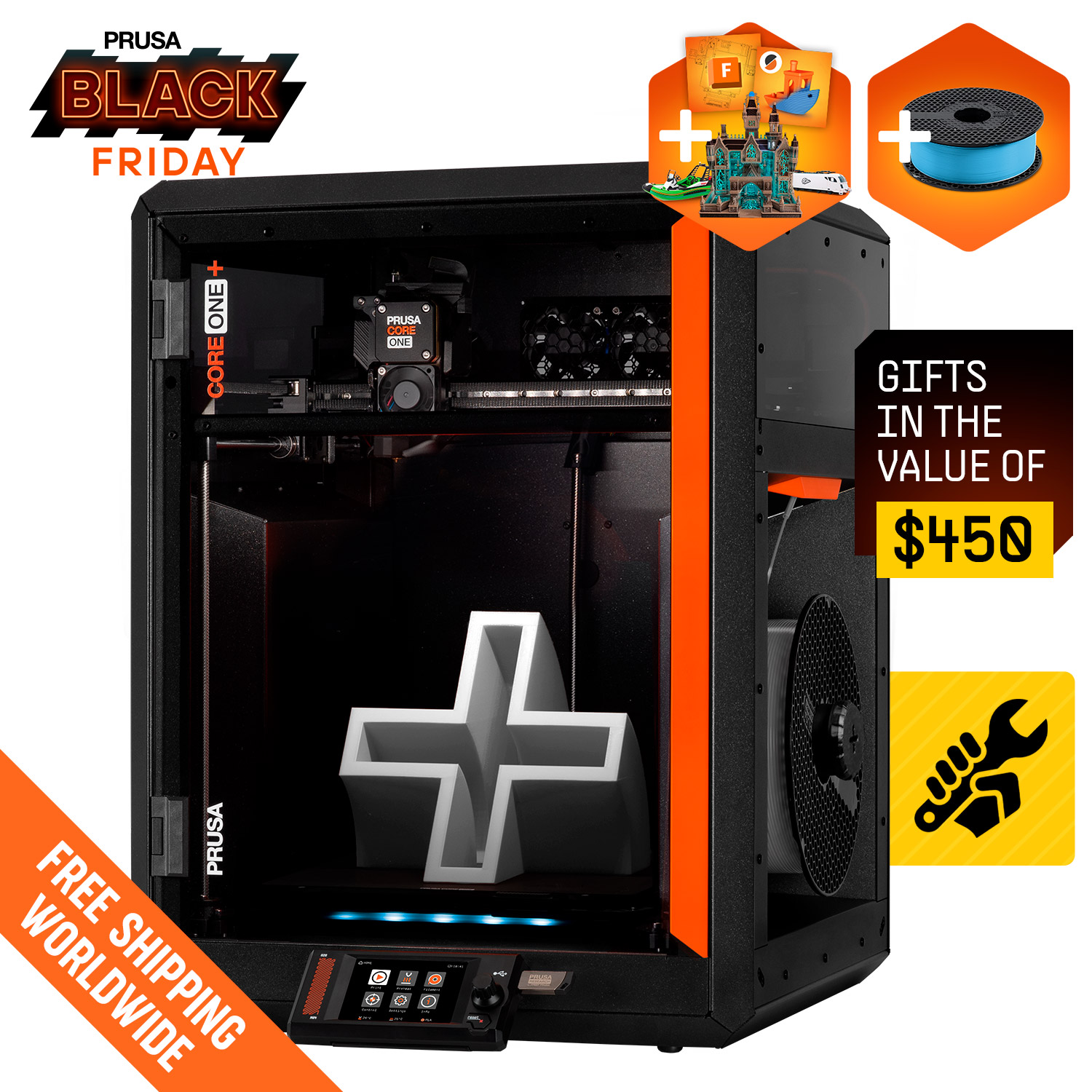
The Prusa CORE One, now sold as the CORE One+ (Gen 2), is an enclosed CoreXY printer with a 250 x 220 x 270 mm build volume and active chamber heating up to 55 °C. It runs a 290 °C hotend and 120 °C bed, and supports the MMU3 for up to five filaments.
What it is
The Prusa CORE One is Prusa Research's enclosed CoreXY printer. On prusa3d.com the product pages now sell it as the CORE One+ (Gen 2), which keeps the same platform and build volume and adds hardware changes carried over from the larger CORE One L. According to All3DP's coverage of the August 2026 refresh, the Gen 2 adds an integrated nozzle wiper, GT1.5 belts, a redesigned heatbed mount that removes the heat-soak wait for PLA and PETG, a tool-free snap-on top panel, and compatibility with Prusa's upcoming INDX toolchanger. Prusa offers upgrade kits for owners of the original CORE One.
It is sold both as an assembly kit and as a factory-assembled printer.
Key specs that matter
- Build volume: 250 x 220 x 270 mm, which is taller than the MK4S (220 mm Z) on a similar footprint.
- Enclosure and chamber: a full enclosure with active chamber heating up to 55 °C, which matters most for ABS, ASA and other materials that warp or crack in cool air.
- Temperatures: 290 °C maximum nozzle and 120 °C maximum bed. Prusa lists a 400 °C HT hotend as a separate option.
- Multi-material: optional MMU3 for up to five filaments, with the INDX toolchanger (up to eight filaments) listed as coming soon.
- Connectivity: Ethernet, USB drive, Prusa Connect, and Wi-Fi through an optional module.
- Speed: Prusa does not publish a numeric top speed or acceleration figure for this model, so direct mm/s comparisons with other brands are not possible from official data.
Who it suits
The CORE One fits buyers who want an enclosed printer for engineering materials without giving up Prusa's open ecosystem: PrusaSlicer, published firmware, printable spare parts and a large help center. The heated chamber makes it a better fit than an open-frame printer for anyone planning to print ABS or ASA regularly. Buyers who already own an MK4S can also look at Prusa's MK4S to CORE One+ (Gen 2) conversion kit, which reuses parts of their existing machine.
People who enjoy building their own hardware can save money with the kit version, while classrooms, offices and first-time owners will usually prefer the assembled unit.
What to know before buying
Price depends heavily on the version. When checked, Prusa's US store listed the assembly kit at $925, while a comparison table on the same page gave the assembled unit as "from $1,299". A Black Friday promotion was active, so confirm the assembled price in the cart before ordering.
The MMU3 is an add-on, not included in the base price, and the INDX toolchanger was not yet shipping when these pages were checked. Wi-Fi requires an optional module, though Ethernet is built in.
If you need a much larger build area, Prusa also sells the CORE One L+ (300 x 300 x 330 mm build volume). If you mainly print PLA and PETG and do not need an enclosure, the open-frame MK4S costs less.
Specifications
| Type | FDM |
|---|---|
| Price | Check current price |
| Build volume | 250×220×270 mm |
| Max speed | 300 mm/s |
| Multicolor | Yes (MMU3 (optional, up to 5 filaments); INDX toolchanger (up to 8, listed as coming soon)) |
| Enclosed | Yes |
| Auto bed leveling | Yes |
| Connectivity | Ethernet, Wi-Fi (optional module), USB drive, Prusa Connect |
| Noise | Not listed |
| Release year | 2025 |
Pros and cons
Pros
- Active chamber heating up to 55 °C makes ABS and ASA printing more practical than on open-frame machines.
- The 250 x 220 x 270 mm build volume offers more height than the MK4S on a similar desk footprint.
- Optional MMU3 adds up to five filaments, and Prusa lists the INDX toolchanger as an upcoming upgrade path.
- Sold as both a kit and an assembled unit, so buyers can trade build time for a lower price.
- Ethernet is built in alongside USB and Prusa Connect, which suits shared workshops and remote monitoring.
- Upgrade kits let existing CORE One owners move to the Gen 2 hardware instead of buying a new printer.
Cons
- The assembled version costs well over $1,000, which is more than many enclosed CoreXY printers from other brands.
- Prusa publishes no numeric top speed or acceleration, so speed claims are hard to compare with competitors.
- Wi-Fi needs an optional module, so wireless printing is not available out of the box on every configuration.
- Multi-color printing requires buying the MMU3 separately, adding cost and setup time to the base printer.
- The 290 °C standard hotend limits very high-temperature materials unless you add the separate HT hotend.
Frequently asked questions
Is the Prusa CORE One still sold?
Prusa now sells it as the CORE One+ (Gen 2) at the same product URLs. It keeps the same 250 x 220 x 270 mm platform and adds a nozzle wiper, GT1.5 belts and a redesigned heatbed mount. Owners of the original CORE One can buy upgrade kits.
Should I buy the kit or the assembled version?
Prusa's US store listed the kit at $925 when checked, and its comparison table gives the assembled printer as from $1,299; promotions can change the cart price. The kit saves money but takes hours to build, while the assembled unit arrives ready to calibrate and print.
Can the CORE One print ABS and ASA?
Yes. It is fully enclosed with active chamber heating up to 55 °C, a 290 °C hotend and a 120 °C bed, which are the conditions these warp-prone materials need.
Does it support multi-color printing?
Yes, with the optional MMU3, which handles up to five filaments. Prusa also lists the INDX toolchanger for up to eight filaments as coming soon.
Does it have Wi-Fi?
Ethernet and USB are built in. Wi-Fi is listed as an optional module on the product page, and the printer works with Prusa Connect for remote control.
Sources
Verdict
Buy the CORE One+ if you want an enclosed, heated-chamber printer with Prusa's open software, spare parts and upgrade path. Look elsewhere if you mainly print PLA on a tight budget or want built-in multi-color without paying for add-ons.
Comparisons
Featured in
Related printers