Bambu Lab A1 vs Bambu Lab P2S
Verdict
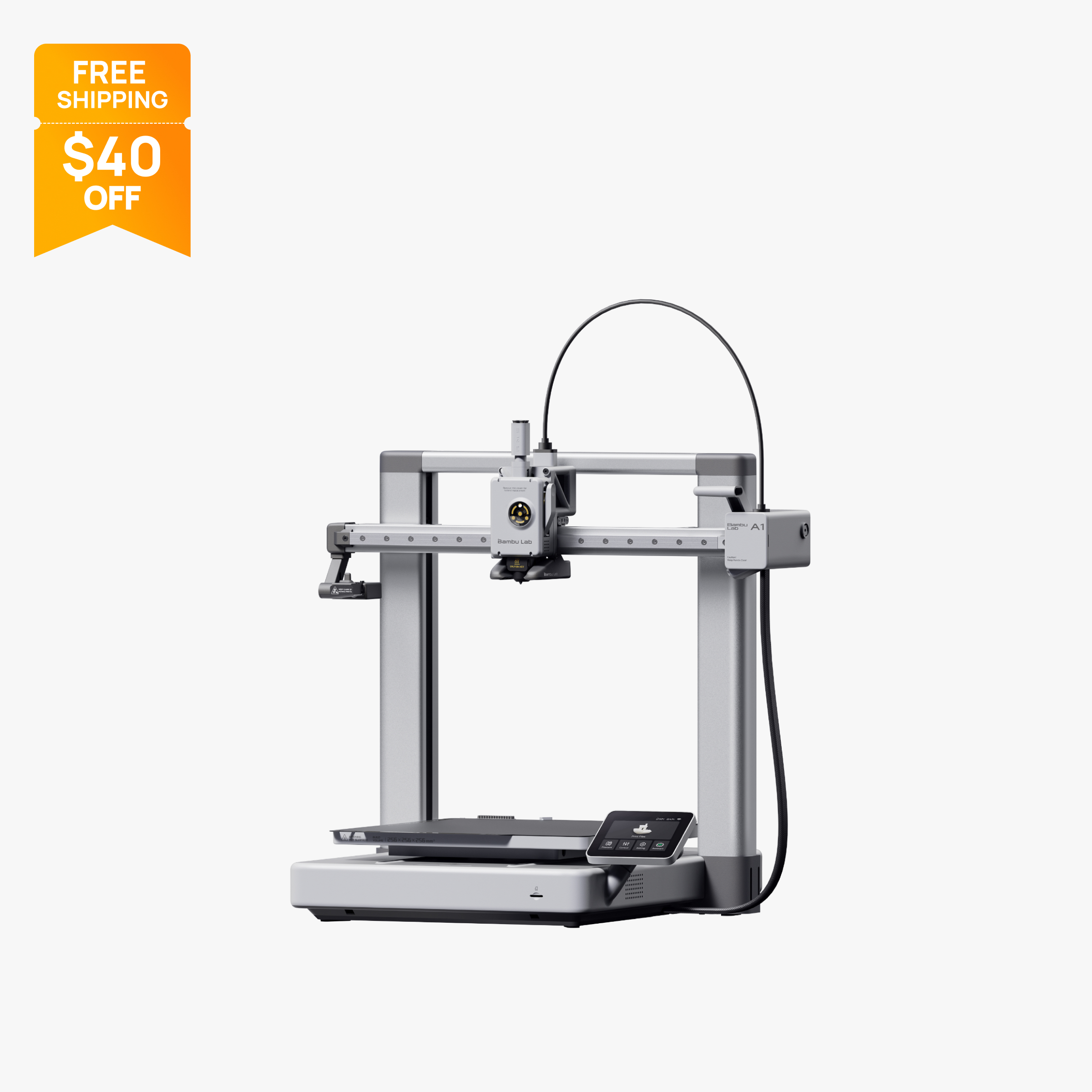
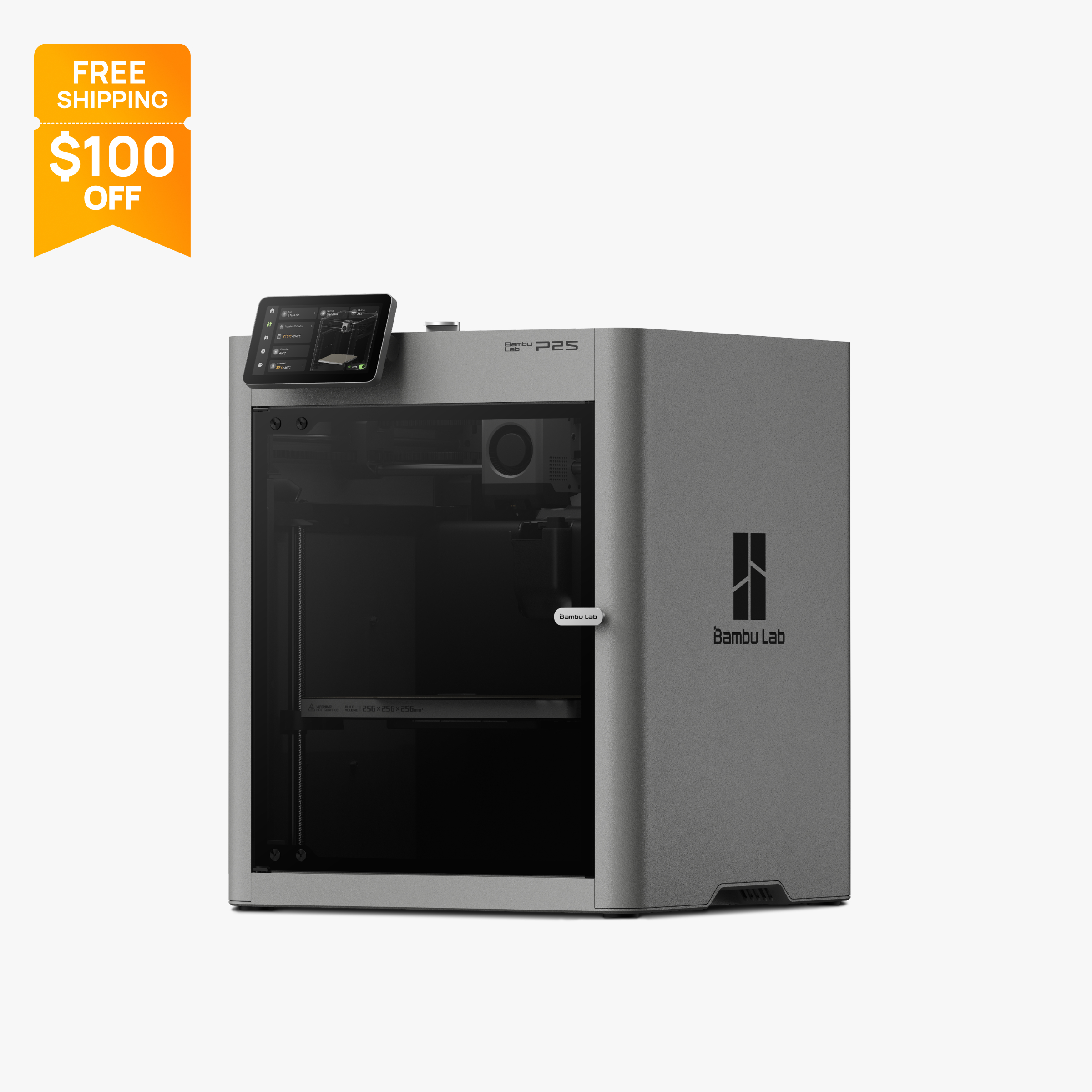
Buy the A1 if you print PLA, PETG and TPU and want the lowest price, with up to 4 colors via the AMS Lite. Buy the P2S if you want an enclosed CoreXY printer for ABS and ASA, a hardened steel nozzle for carbon fiber, 20,000 mm/s² acceleration and up to 20 colors. Both have a 256 mm cube build volume.
Specs side by side
| Spec | Bambu Lab A1 | Bambu Lab P2S |
|---|---|---|
| Type | FDM | FDM |
| Price | $259 | $449 |
| Build volume | 256×256×256 mm | 256×256×256 mm |
| Max speed | 500 mm/s | 600 mm/s |
| Multicolor | Yes (AMS Lite (optional, one unit, up to 4 colors)) | Yes (AMS 2 Pro / AMS HT (optional; AMS 2 Pro included in the P2S Combo; up to 8 units and 20 colors)) |
| Enclosed | No | Yes |
| Auto bed leveling | Yes | Yes |
| Connectivity | Wi-Fi, Bambu-Bus, microSD | Dual-band Wi-Fi, USB |
| Noise | 49 dB | Not listed |
| Release year | 2023 | Not listed |
Quick answer
In the P2S vs A1 decision, pick the Bambu Lab A1 if you mostly print PLA, PETG and TPU, want the lowest price, and are happy with an open-frame bed slinger that tops out at 4 colors with the AMS Lite. Pick the Bambu Lab P2S if you want an enclosed CoreXY printer that can print ABS and ASA, ships with a hardened steel nozzle for carbon fiber filaments, and can grow to as many as 20 colors. Both have a 256 x 256 x 256 mm build volume, a 300 °C hot end and Bambu's software. The real question is whether the enclosure, the faster motion system and the fiber-ready hardware are worth paying about 1.7 times the A1's sale price at the time of writing.
Key differences
Open frame versus enclosure
This is the difference that decides most purchases. The A1 is an open-frame bed slinger. The P2S is fully enclosed, with an activated carbon filter and a flap that switches chamber airflow between internal and external circulation.
Bambu's own material guidance follows from that. For the A1, Bambu lists ABS, ASA, PC and PA as not recommended, and its FAQ says these filaments may work for small, low-infill parts but that the open frame raises the risk of warping and weak layer bonding on larger prints. Bambu also says it does not recommend enclosing the A1. For the P2S, Bambu's spec sheet lists PLA, PETG, ABS, ASA, TPU, PET, PA, PC and PVA as supported.
Keep expectations realistic on the P2S, though. It has no active chamber heater. The store's "50°C Chamber Ready" heading refers to heat held in by the enclosure and flap, and Bambu's FAQ confirms there is no active heating. That is enough to make ABS and ASA practical for most hobby parts, but if you plan large nylon or polycarbonate parts, a printer with a heated chamber is a better fit (see Also consider below).
If you will only ever print PLA, PETG and TPU, the open frame costs you very little, and it makes the bed easy to reach. Our best enclosed 3D printers page covers the enclosed side in more depth.
Motion system, speed and acceleration
The A1 moves its bed back and forth on the Y axis, the classic bed slinger layout. The P2S uses CoreXY, where the print head moves in X and Y and the bed only moves down as layers build up.
Bambu's ratings show the gap. The A1 lists 500 mm/s top speed and 10,000 mm/s² acceleration. The P2S lists 600 mm/s and 20,000 mm/s², with a rated maximum hot end flow of 40 mm³/s. Acceleration matters more than top speed on most real parts, because short moves and corners rarely let the head reach full speed. Doubling it is the more meaningful number here.
These are maker ratings, not finished print times. Print time also depends on the filament, the cooling it needs and the slicer profile. Still, on paper the P2S is the faster machine on typical parts.
A bed slinger also needs room. The A1's frame is 465 x 410 x 430 mm, and the moving bed needs extra clearance front to back beyond that. The P2S keeps its bed inside the enclosure, and Bambu's spec page lists its net weight at 14.9 kg.
Nozzle and abrasive filaments
The A1 ships with a stainless steel nozzle. Bambu says it must be swapped for a hardened steel nozzle before you print carbon fiber or other abrasive filaments.
The P2S ships with a hardened steel nozzle and hardened steel extruder gear, driven by what Bambu calls a permanent magnet synchronous (PMSM) servo motor. Bambu's spec sheet names fiber-filled grades such as PLA-CF, PETG-CF, ABS-GF, PA6-CF and PPA-CF as supported, with no hardware change needed.
Both hot ends reach 300 °C. The beds differ slightly: 100 °C on the A1 and 110 °C on the P2S. If carbon fiber PLA or PETG is on your list, the P2S is ready for it on day one, while the A1 needs a part swap and still has the open-frame limits above for anything beyond PLA and PETG based blends.
Multicolor capacity
Both printers do multicolor, with very different ceilings.
The A1 supports one AMS Lite, so it prints up to 4 colors per job. Bambu's FAQ says a full AMS, AMS 2 Pro or AMS HT needs the separate AMS HUB accessory. The easiest way to get multicolor is the A1 Combo, which bundles the AMS Lite.
The P2S works with the AMS 2 Pro and AMS HT. Bambu's store FAQ says it can connect up to four AMS 2 Pro and four AMS HT units, 20 slots in total, for up to 20 colors. The P2S Combo includes one AMS 2 Pro, which can dry filament. Bambu notes that drying during a print needs an official power adapter that the Combo does not include.
Every color change on either system purges filament, which adds time and waste on prints with many swaps. If 4 colors covers your plans, the A1 Combo is the cheaper route. If you want room to grow, or want drying built into the filament system, the P2S has more headroom. More options are on our best multicolor 3D printers page.
Screen, camera and connectivity
The A1 has a 3.5-inch touchscreen. The P2S has a 5-inch 854 x 480 touchscreen, so more setup can be done at the printer.
The P2S camera is listed at 1920 x 1080 and 30 fps, suited to smooth remote monitoring, and the printer has a 2 TOPS neural processing unit that Bambu uses for AI error detection. Bambu lists the A1's camera as a low-frame-rate camera (up to 1080p) for timelapse, so the real camera difference is the P2S's 30 fps live view.
Connectivity: the A1 lists Wi-Fi, Bambu-Bus and microSD, plus a LAN-only mode. The P2S lists dual-band Wi-Fi and a USB port with 8 GB of eMMC storage, and its spec sheet shows no Ethernet port. Both work with Bambu Studio, and Bambu says both work with third-party slicers that export standard G-code, such as PrusaSlicer, SuperSlicer and Cura, though some advanced features may not be supported.
Noise
Bambu's US store lists A1 operation as low as 49 dB, with active motor noise canceling. That is the lowest figure on the listing, not a typical or peak level. Bambu does not list a noise figure for the P2S in the data this page uses, so there is no published basis for saying which one is quieter. If noise matters, for example in a bedroom or office, check Bambu's current spec pages for both before you buy.
Price and what you get
At the time of writing (late October 2026), Bambu's US store lists the A1 at $259 on sale (regular $299) and the A1 Combo, which adds one AMS Lite, at $359 (regular $399).
The P2S is $449 for the printer alone during a Black Friday sale (typical price $549), and the P2S Combo with an AMS 2 Pro is $649 (typical $749). Sale prices on Bambu's store change often, so check before you buy.
Compared like for like, the P2S printer costs about 1.7 times as much as the A1 at sale prices (about 1.8 times at regular prices), and the P2S Combo costs well over the A1 Combo. For that difference you get an enclosure with a carbon filter, CoreXY motion with twice the rated acceleration, a hardened steel nozzle, a 110 °C bed, a larger screen, a 30 fps camera and a multicolor system that scales to 20 colors with drying. You do not get a larger build volume: both are 256 mm cubes.
If you want the enclosure but not every P2S upgrade, Bambu still sells the P1S at $349 on sale (regular $399). Our P2S vs P1S comparison covers that gap, and A1 vs P1S covers the open frame versus enclosure question at a lower price.
Who should buy which
Buy the A1 if:
- You print PLA, PETG and TPU and have no plans for ABS, ASA or nylon.
- You want the lowest cost for a 256 mm build volume, or 4 colors for less with the A1 Combo.
- You are buying a first printer and want automatic calibration with an open, easy-to-reach bed.
- A quiet published noise figure matters to you.
Buy the P2S if:
- You want to print ABS and ASA, or try PA and PC on smaller parts.
- You want carbon fiber or glass fiber filaments without swapping hardware.
- You may want more than 4 colors, up to 20, or filament drying in the AMS 2 Pro.
- You want CoreXY speed, a 5-inch screen and a smooth 30 fps camera.
Also consider
- The Bambu Lab P1S, an enclosed CoreXY printer with the same build volume at $349 on sale, if you want ABS and ASA but do not need a hardened nozzle or 20 colors.
- The Anycubic Kobra 4 Combo, an open-frame printer listed at $379 on Anycubic's official store (not a US-only storefront) with a 260 mm cube build volume and an included 4-color ACE 2 Pro unit, if you want 4-color printing for close to the A1 Combo's $359.
- The Elegoo Centauri Carbon 2, an enclosed CoreXY printer with a 350 °C hardened nozzle at $349, if you want an enclosure for less than the P2S. See Centauri Carbon 2 vs P2S.
New to printing? Start with our best 3D printers for beginners and the 3D printer setup guide. Budget-focused buyers can also browse best 3D printers under $500.
Frequently asked questions
What is the difference between the Bambu Lab A1 and P2S?
The A1 is an open-frame bed slinger and the P2S is an enclosed CoreXY printer with an activated carbon filter. Both have a 256 x 256 x 256 mm build volume and a 300 °C hot end, but the P2S lists 600 mm/s and 20,000 mm/s² against 500 mm/s and 10,000 mm/s² on the A1, plus a hardened steel nozzle and a 110 °C bed.
Can the A1 print ABS and ASA like the P2S?
Bambu lists ABS, ASA, PC and PA as not recommended on the A1 because the open frame raises the risk of warping on larger prints, and it advises against enclosing the A1. The P2S is enclosed and Bambu lists ABS, ASA, PA and PC as supported, though it has no active chamber heater.
Is the P2S worth the extra money over the A1?
It is if you want ABS, ASA, carbon fiber filaments or more than 4 colors. At the time of writing (October 2026) the A1 is $259 on sale (regular $299) and the P2S is $449 on sale (typical $549). If you only print PLA, PETG and TPU, the A1 covers most needs for less.
How many colors can the A1 and P2S print?
The A1 supports one AMS Lite, so up to 4 colors per print. Bambu's store FAQ says the P2S can connect up to four AMS 2 Pro and four AMS HT units, 20 slots in total, for up to 20 colors.
Can the A1 print carbon fiber filament?
Not with its stock stainless steel nozzle. Bambu says it must be swapped for hardened steel before printing abrasive filaments. The P2S ships with a hardened steel nozzle and extruder gear and lists PLA-CF and PETG-CF as supported.
Which is quieter, the A1 or the P2S?
Bambu's US store lists the A1 as low as 49 dB with active motor noise canceling. Bambu does not list a noise figure for the P2S in the data used here, so a published comparison is not possible.
Sources
- Bambu Lab A1 tech specs (official)
- Bambu Lab A1 / A1 Combo on the official US store (price, specs, FAQ)
- Bambu Lab A1 FAQ (official wiki)
- Bambu Lab AMS lite on the official US store (compatibility)
- Bambu Lab P2S technical specifications (official)
- Bambu Lab P2S on the official US store (price, combo contents, FAQ)
- Bambu Lab P2S spec sheet PDF (official, linked from the US store)
- Bambu Lab US store 3D printer collection (lineup and prices)
- P2S & X2D Heatbed Manual Bed Leveling (Bambu Lab Wiki)
- Bambu Lab P1S on the official US store (price)
- Anycubic Kobra 4 Combo, official store (price)