Anycubic
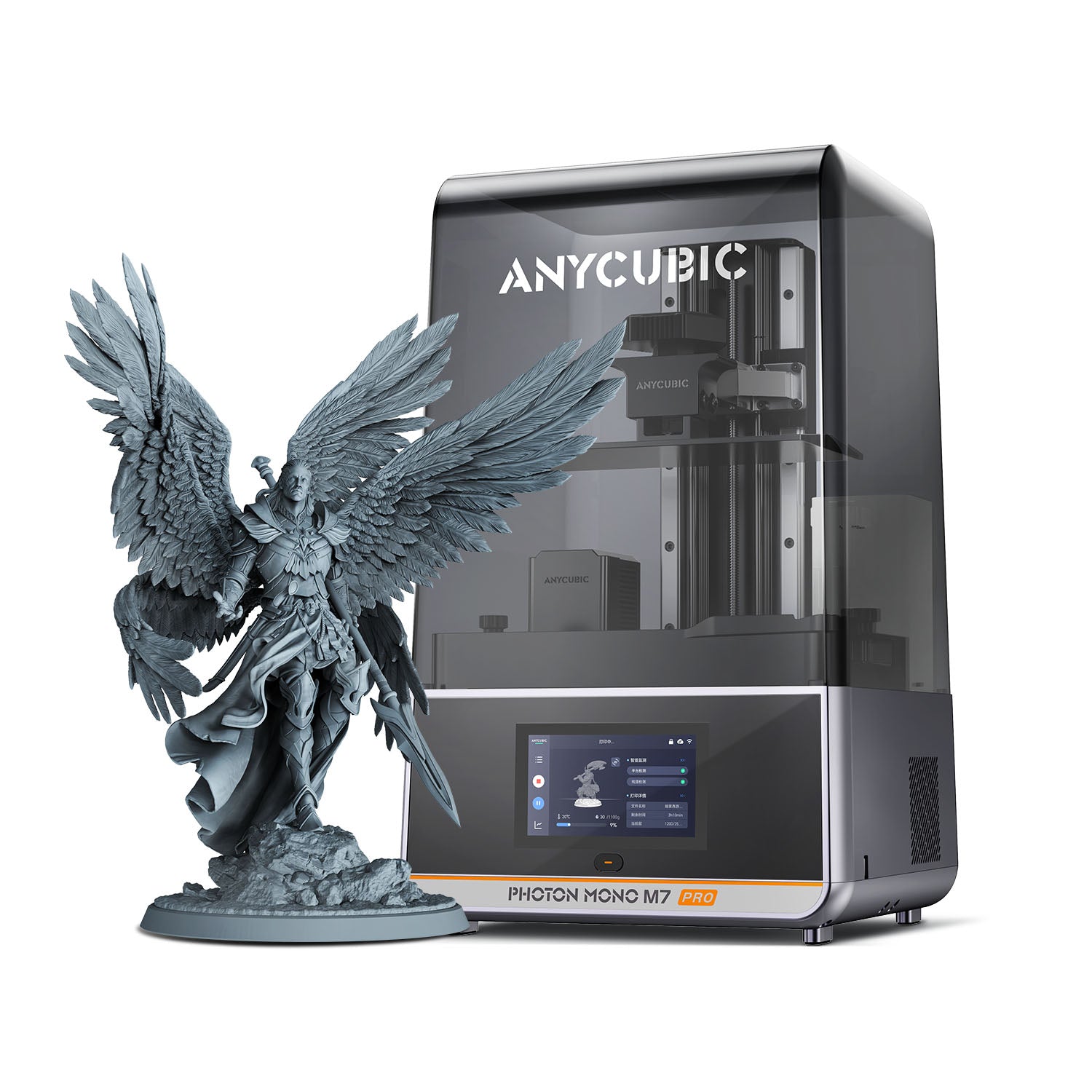
Anycubic Photon Mono M7 Pro
10.1-inch 14K mono resin printer with a 223 x 126 x 230 mm volume, heated vat and Wi-Fi
$489Price checked October 28, 2026
Best for Tabletop miniatures and bustsBest for Jewelry and dental modelsBest for Detailed figurinesBest for Cold workshops or garages
Overview
The Photon Mono M7 Pro is a 10.1-inch 14K monochrome LCD resin printer with a 223 x 126 x 230 mm (6.5 L) build volume and 16.8 x 24.8 µm XY resolution. Anycubic lists up to 170 mm/h with high-speed resin, a vat heated to 20 to 40°C, leveling-free setup and USB, Wi-Fi and LAN file transfer.
What it is
The Anycubic Photon Mono M7 Pro is an MSLA resin printer built around a 10.1-inch monochrome LCD with 14K resolution (13320 x 5120). Anycubic's official store lists a 223 x 126 x 230 mm build volume (6.5 L) and an XY resolution of 16.8 x 24.8 µm. It is in stock on the official store, priced at $489 on sale against a regular $669. The store also sells the larger Photon Mono M7 Max, but does not present it as a replacement.
Key specs that matter
- Resolution: 14K on a 10.1-inch mono LCD, giving 16.8 x 24.8 µm pixels. Detail is finer along one axis than the other.
- Build volume: 223 x 126 x 230 mm, enough for several 28 mm to 75 mm miniatures per plate or a larger single bust.
- Speed: Resin printers are rated in mm/h of height, not mm/s. Anycubic lists up to 130 mm/h with standard resin and up to 170 mm/h with high-speed resin, both at 0.1 mm layers. Layer height ranges from 0.01 to 0.15 mm.
- Resin temperature control: The vat is heated to a user-set 20 to 40°C (default 25°C), which helps keep resin viscosity steady in cold rooms.
- Light source: COB light with a Fresnel lens, rated at 5500 µW/cm² (plus or minus 10%).
- Mechanics: Dual linear rails on the Z-axis with 10 µm precision, a laser-engraved build plate and ACF release film.
- Convenience: Leveling-free setup, resin level detection, resin residue detection to protect the screen, and automatic resin refill and recycling with the auto-fill unit.
- Connectivity: USB, Wi-Fi and LAN, plus the Anycubic app. A 4.3-inch touchscreen handles local control.
Who it suits
The M7 Pro suits miniature painters, tabletop gamers, jewelry and dental model makers, and anyone who needs fine surface detail that FDM printers cannot match. The heated vat is useful in garages or unheated workshops, and the network options let you send jobs without walking a USB drive to the printer.
What to know before buying
- Post-processing: Resin prints need washing and UV curing. Anycubic's FAQ points to a cleaning kit and a Wash & Cure machine, and the store offers a bundle with the Wash & Cure 3 Plus.
- Ventilation and safety: Liquid resin produces odor and requires gloves and good airflow. The AirPure purifier is an optional accessory, and Anycubic mentions an optional ventilation hose.
- Consumables: Release film and the LCD wear over time. The printer reminds you about film lifespan, and a screen protector kit is included.
- Slicers: Anycubic lists Photon Workshop and Chitubox, with Lychee Slicer support marked as scheduled.
- Auto-fill unit: The official box contents list includes an auto-fill unit. Check your bundle contents at checkout.
- Size: The machine weighs 12.8 kg, so plan for a sturdy, level surface.
- Warranty: Anycubic lists a 1-year printer warranty, a 14-day no-reason return and a 30-day after-sales guarantee.
Specifications
| Type | resin |
|---|---|
| Price | $489 |
| Build volume | 223×126×230 mm |
| Max speed | Not listed |
| Multicolor | No |
| Enclosed | Yes |
| Auto bed leveling | Yes |
| Connectivity | USB drive, Wi-Fi, LAN, Anycubic app |
| Noise | Not listed |
| Release year | 2024 |
Pros and cons
Pros
- The 10.1-inch 14K mono LCD delivers 16.8 x 24.8 µm XY resolution for detailed miniatures and models.
- A 223 x 126 x 230 mm build volume fits batches of miniatures or a single larger bust on one plate.
- Vat heating from 20 to 40°C keeps resin viscosity more consistent in cold rooms or garages.
- USB, Wi-Fi and LAN file transfer plus the Anycubic app make remote job sending simple.
- Leveling-free setup, resin level detection and residue detection reduce routine maintenance steps.
- Up to 170 mm/h with high-speed resin at 0.1 mm layers is Anycubic's listed top speed.
Cons
- Pixels are not square (16.8 x 24.8 µm), so detail is slightly coarser along one axis.
- Washing and UV curing require extra equipment, such as Anycubic's Wash & Cure station sold separately.
- Resin odor and handling need gloves and ventilation, and the AirPure purifier is an optional extra.
- Lychee Slicer support is listed as scheduled, so slicer choice is limited to Photon Workshop and Chitubox today.
- Release film and the LCD screen are consumables that need replacing over the life of the printer.
- At 12.8 kg the printer needs a sturdy, level surface and is not easy to move around.
Frequently asked questions
How fast does the Photon Mono M7 Pro print?
Resin printers are rated in vertical mm per hour. Anycubic lists up to 130 mm/h with standard resin and up to 170 mm/h with high-speed resin, both at 0.1 mm layer height. Actual speed depends on resin, layer height and exposure settings.
Does it need bed leveling?
Anycubic describes the M7 Pro as leveling-free. Leveling paper is still included in the box for checking or resetting the platform if needed.
Can I use third-party resin?
Anycubic lists compatibility with high-speed, water-washable, standard, ABS-like and plant-based resins, and does not limit it to its own brand. Third-party resins may need their own exposure settings.
Does it connect over Wi-Fi?
Yes. The official spec list includes USB, Wi-Fi and LAN file transfer, plus control through the Anycubic app. A Wi-Fi antenna is included in the box.
What else do I need to start printing?
You need resin, nitrile gloves, isopropyl alcohol or a suitable cleaner, and a way to UV cure parts. Anycubic sells a Wash & Cure 3 Plus bundle, and the AirPure purifier is an optional accessory for odor control.
Sources
Verdict
The Photon Mono M7 Pro suits hobbyists and small businesses that want fine resin detail, a heated vat and network printing in a 10-inch class machine. Buyers who need larger single parts should consider the M7 Max, and anyone unwilling to handle liquid resin and post-processing should choose an FDM printer instead.
Featured in
Related printers